
How to Create Custom Topics

Generic selectors
Exact matches only
Search in title
Search in content
Post Type Selectors

Do you need to create a Custom Topic for your Landing Page? Now System Admins can do so from the Landing Page/Tab Editor within Settings. 

After selecting a Landing Page where the Custom Topic will live, click on the “Add Custom Button” option. 
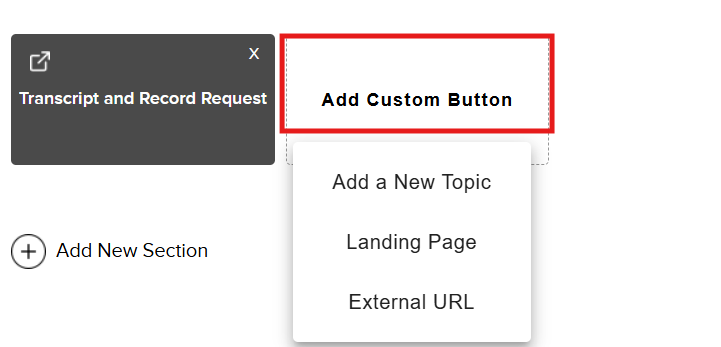
You will see the following custom options:


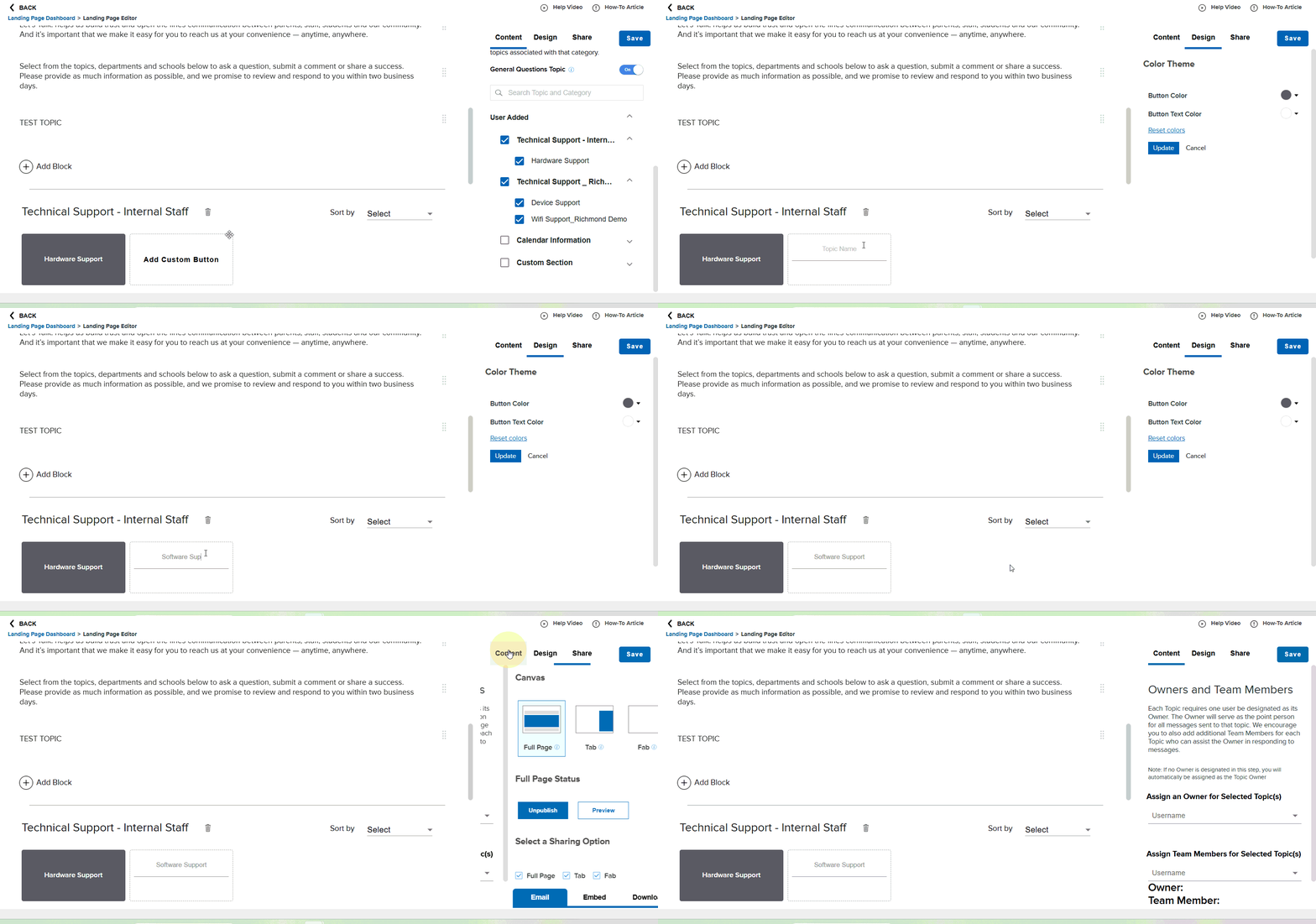
Add a New Topic: Create a Custom Topic name, edit button theme colors, and assign Owners and Team Members directly from this page (Please note: If no Owner is designated in this step, you will automatically be assigned as the Topic Owner). 


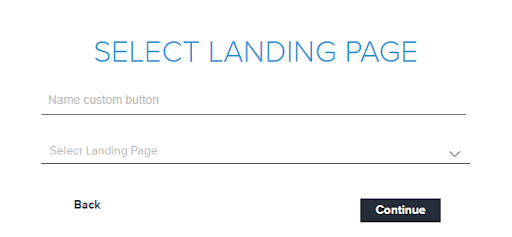
Landing Page: Name your custom button and select the Landing Page
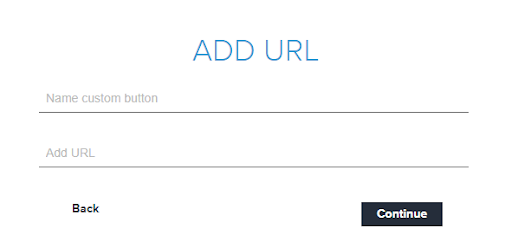
External URL: Name your custom button the link an External URL for customers to quickly access
Whichever option you choose, don’t forget to save your work at the end. 

Related Post

Webhooks

Automatically send Onflo ticket and asset information to your other business systems. Overview Webhooks let Onflo automatically send information to another system the moment something happens. When a ticket is created or an asset is added, Onflo can instantly push

Read More ➜

API Tokens

How customers create and manage the tokens that let their software connect to the Onflo API Overview API Tokens is a feature in Onflo Settings that lets a customer generate a secure key which their own software can use to

Read More ➜

Community Promotion Toolkit

Ideas and ready-to-use templates to help you introduce or reintroduce Onflo to your community. Choose Your Approach There’s more than one way to introduce your service desk to your community. The approach you choose will depend on your district’s communication

Read More ➜