
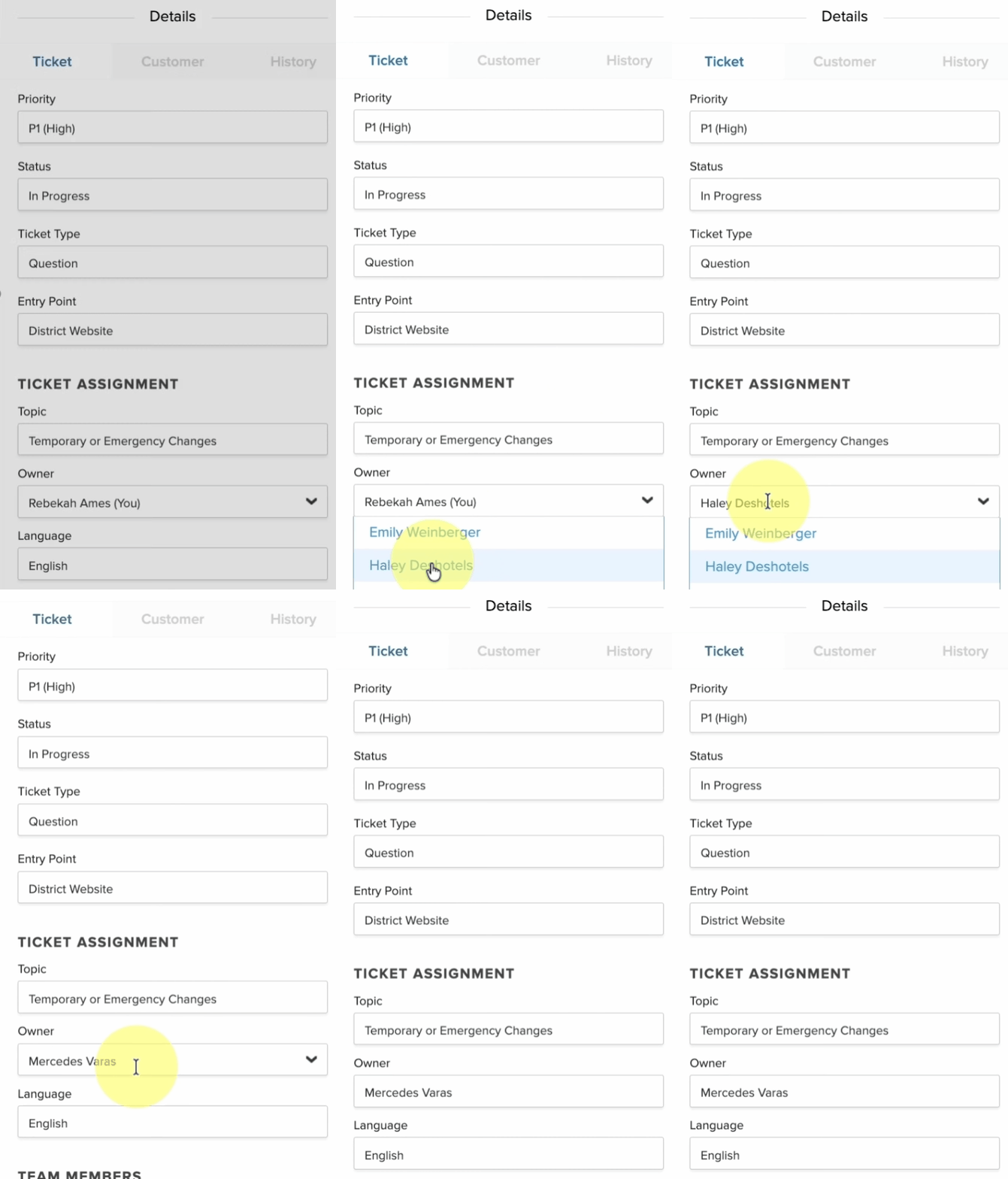
If you want to assign a team member as the owner of a Ticket, simply:
- Click in the Owner field
- If you are the current owner this will be displayed as "Me".
- From the dropdown menu that appears, you will see the names of your team members.
- Select the name of desired new owner from the list.
- The new owner will receive an alert of the change and their name will now be displayed in the Owner field.
Best Practice
Providing additional follow-up instructions (through internal comments) to the new owner helps avoid confusion and leads to faster Ticket close times.