
How to Set Up SMS Opt Out in Onflo

Generic selectors
Exact matches only
Search in title
Search in content
Post Type Selectors

Customers can now opt out of SMS messaging from a district! In addition to receiving the auto-reply messaging, if set, they will also receive an opt-out instructional messaging letting them know they can opt out of SMS messaging from the district.
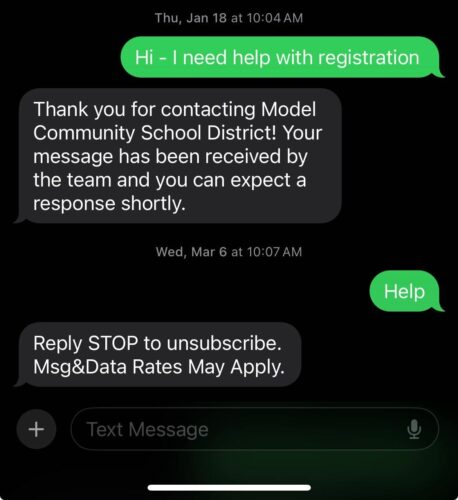
Customers can reply using any of the following keywords to opt out: cancel, end, quit, stop, stopall, OR unsubscribe. Customers can reply using any of the following keywords to resubscribe: start, unstop, OR yes.

Confirm that the customer has opted out of SMS messaging by going into the Ticket from the text conversation and hovering over the icon next to their phone number.

Related Post

Bulk Edit IT Assets

Build a custom list of assets by searching, pasting, or scanning — then run bulk operations on them Overview Edit Assets lets you assemble an exact list of assets without building filters. You can search for assets one at a

Read More ➜

IT Workflow Enhancements

New triggers, stop-after control, and execution sequencing for Ticket and Asset workflows Overview This release introduces three enhancements to Workflows that give you finer control over when a workflow runs and in what order. You can now target ticket creation

Read More ➜