
How to View Customer History

Generic selectors
Exact matches only
Search in title
Search in content
Post Type Selectors

Access all conversations from a customer

Sometimes customers might refer to previous requests, questions, or interactions they’ve had with your district when they submit a ticket, and in some cases, being able to see that history can better help you understand and serve their needs. 

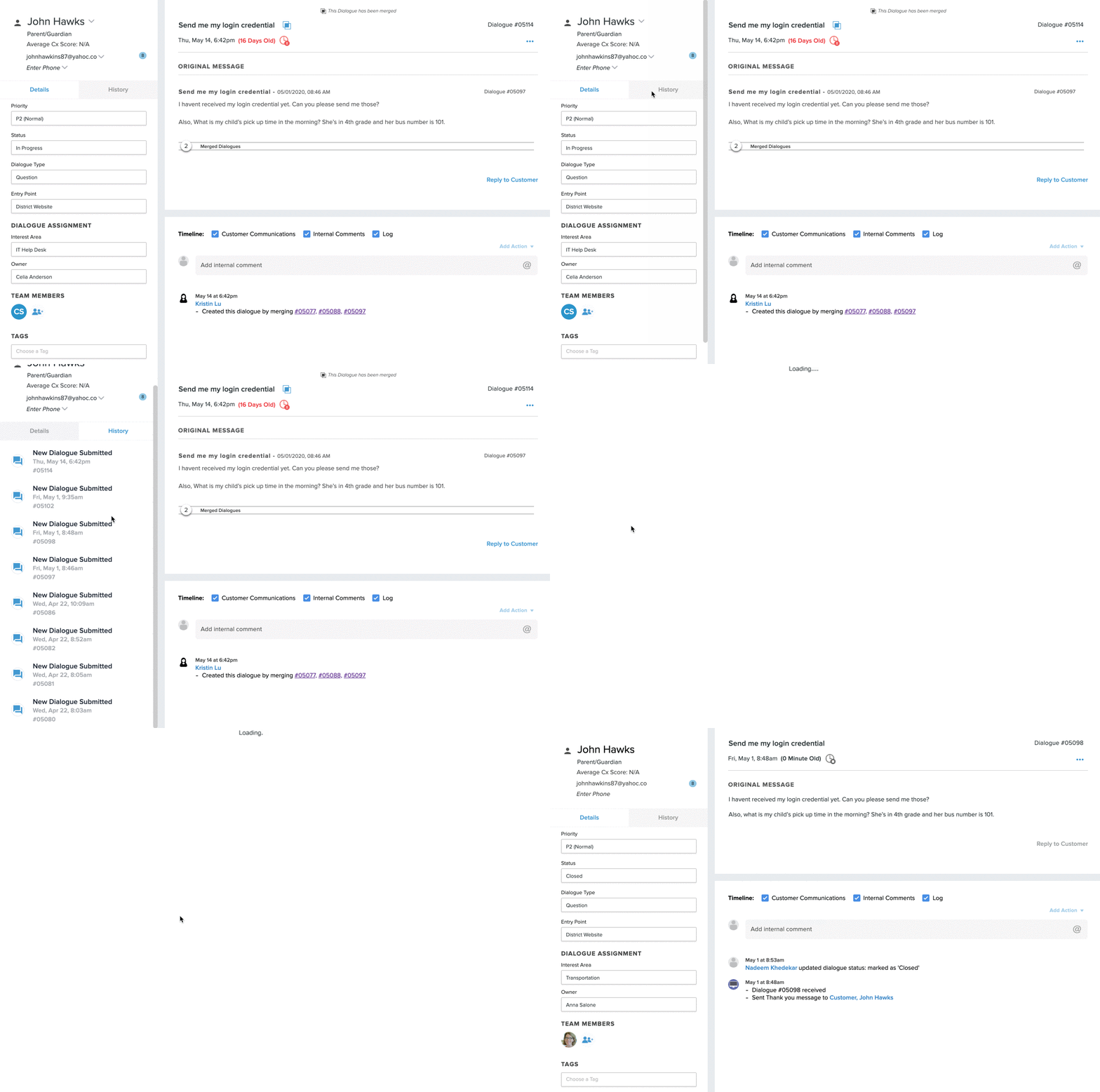
Use the Customer History feature to quickly see some key information from the customer you are serving. 

Here’s how - 

  1. Jump into the ticket.


  2. On the left-hand navigation, you’ll see the customer information. 
    1. Name: The name of the customer
    2. Customer Type: Who they are in the district (Parent, Employee, Student, Community Member)
    3. Average Cx Score: What their average feedback score is
    4. Email on file: Their email address. Notice the number next to their email. That represents the number of tickets they’ve submitted. 
    5. Phone number on file: Their phone number. 
  3. To see a list of all the tickets they’ve submitted, click on History to toggle to the ticket list view.


  4. Click on any of the ticket to automatically be taken to it.
Related Post

Webhooks

Automatically send Onflo ticket and asset information to your other business systems. Overview Webhooks let Onflo automatically send information to another system the moment something happens. When a ticket is created or an asset is added, Onflo can instantly push

Read More ➜

API Tokens

How customers create and manage the tokens that let their software connect to the Onflo API Overview API Tokens is a feature in Onflo Settings that lets a customer generate a secure key which their own software can use to

Read More ➜

Community Promotion Toolkit

Ideas and ready-to-use templates to help you introduce or reintroduce Onflo to your community. Choose Your Approach There’s more than one way to introduce your service desk to your community. The approach you choose will depend on your district’s communication

Read More ➜