How to Set Up Call Center Business Hours

Generic selectors
Exact matches only
Search in title
Search in content
Post Type Selectors

Create business hour rules to indicate when phone queues are open and when calls will be routed to voicemail. 

Add Business Hours

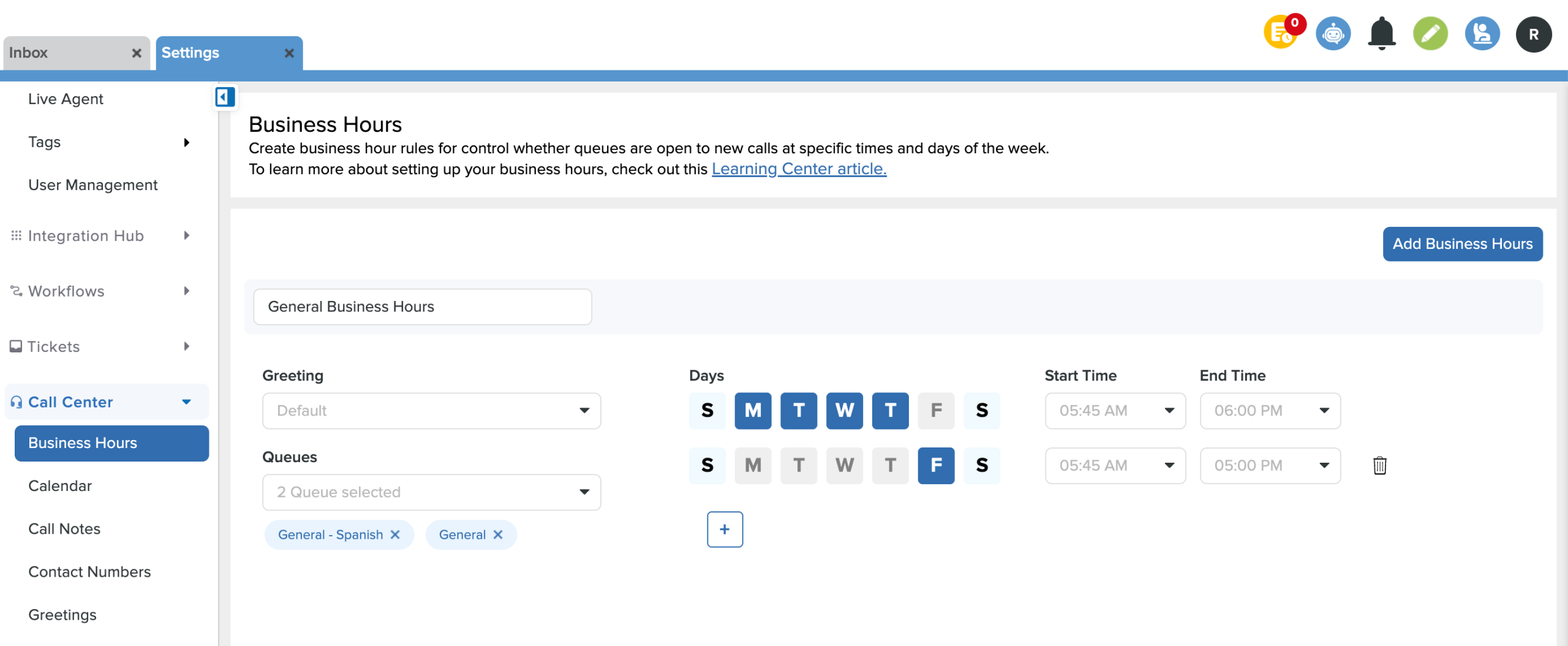
  • From Settings, scroll down to Call Center and click on Business Hours.
  • Click the Add Business Hours button.
  • Name the entry and choose which greeting, queues, days, and times the business hours will be in effect.
  • Set up to seven configurations for each day within the same queue. (Ex: Transportation queue is open 8 am - 5 pm on M, T, W & 9 am - 3 pm on Th and F)
  • Click Save in the bottom right corner.
Remove Business Hours

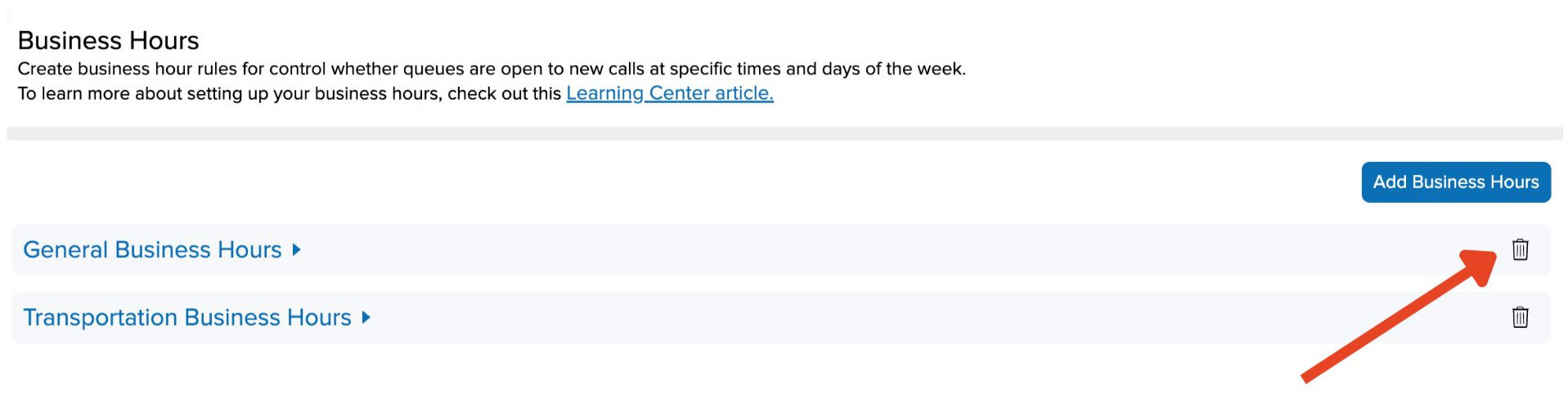
  •  Click the trash can icon next to the business hours & Save

Related Post

Bulk Edit IT Assets

Build a custom list of assets by searching, pasting, or scanning — then run bulk operations on them Overview Edit Assets lets you assemble an exact list of assets without building filters. You can search for assets one at a

Read More ➜

IT Workflow Enhancements

New triggers, stop-after control, and execution sequencing for Ticket and Asset workflows Overview This release introduces three enhancements to Workflows that give you finer control over when a workflow runs and in what order. You can now target ticket creation

Read More ➜