


School Asset Management Software
K-12 Asset Management with Visibility and Accountability for Every Device
- Central repository for managing all IT hardware assets
- Integrated with existing tools for a unified service desk experience
- Device lifecycle management from setup to retirement

Trusted by districts nationwide








Device Inventory Is Easy to Count Once.
The hard part is keeping it true.
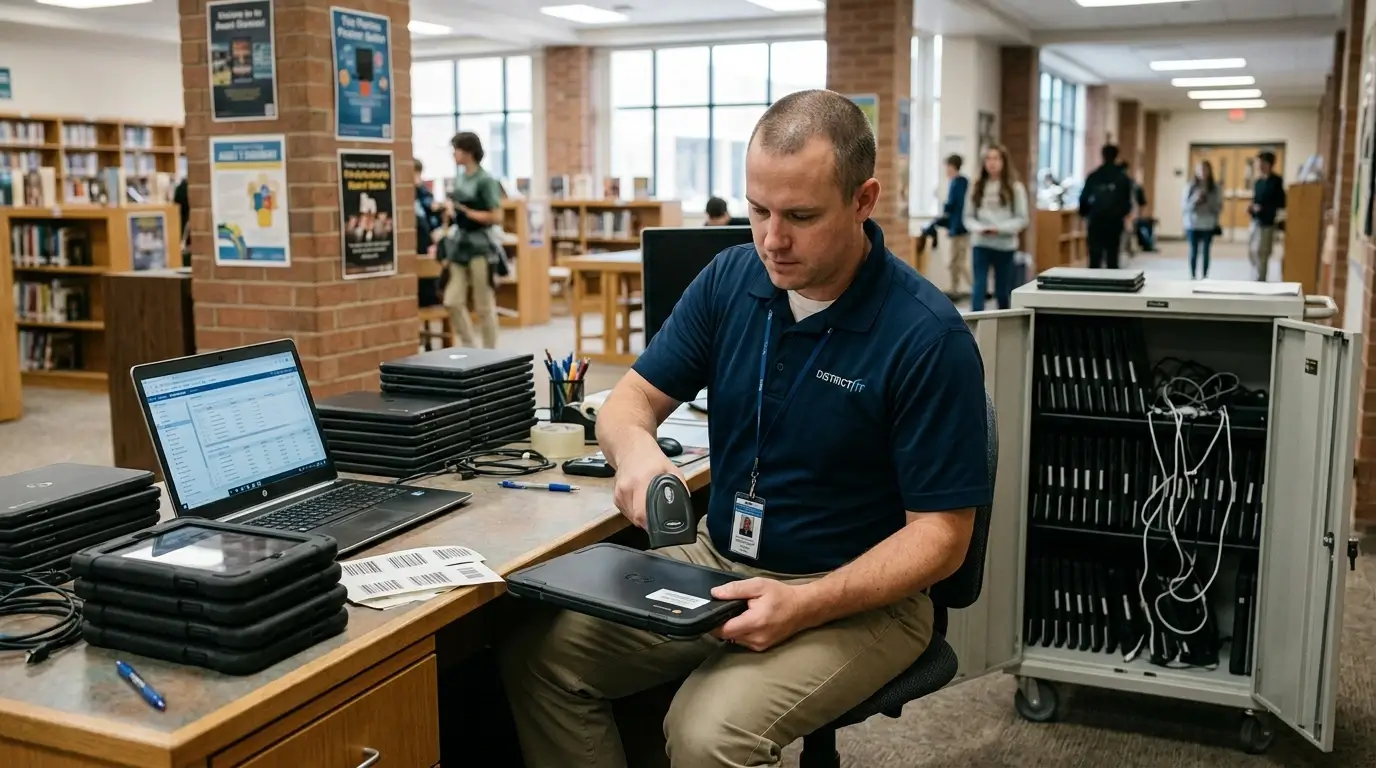
Chromebooks, laptops, tablets, chargers, carts, displays, and other technology move constantly among students, employees, classrooms, repair benches, storage rooms, and campuses. The district needs to know not only what it owns, but who has it, where it is, what has happened to it, and what should happen next.
Assignments Change Constantly
Students enroll, withdraw, transfer schools, receive replacements, borrow loaners, and return devices. Staff change roles and locations. A static spreadsheet becomes inaccurate as soon as the first device moves.
Service History Gets Separated from Inventory
When tickets and asset records live in different systems, technicians can fix the same device repeatedly without an easy view of its total repair history or support cost.
Small Parts Become Operational Bottlenecks
Chargers, cables, power supplies, and other consumables may not deserve an individual tag, but running out of them can stop a repair program at the worst possible moment.
Budget Decisions Lack Lifecycle Evidence
Refresh planning is stronger when IT can show age, warranty, repeat repairs, loss patterns, and remaining value instead of relying on rough counts or anecdote.
K-12 IT Asset Management Capabilities
Onflo provides a centralized school asset management platform engineered to reduce K-12 complexity
Onflo is school asset management software that tracks Chromebooks, laptops, tablets, chargers, and loaners from procurement to retirement, with every repair ticket attached to the device.
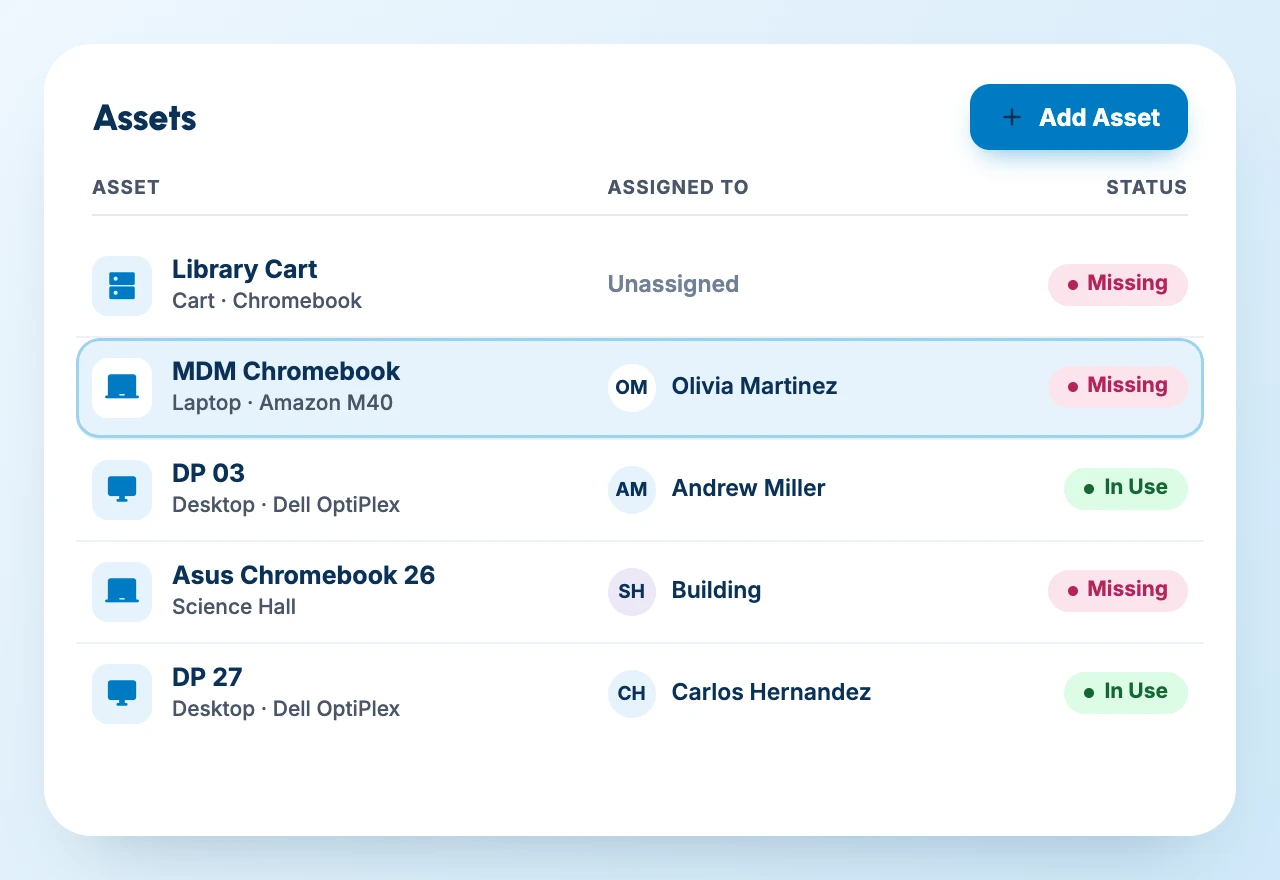
Track every device from setup to retirement: who has it, where it belongs, when it moved, and whether it is deployed, in repair, loaned, lost, or in storage.
Keep repair records, tickets, parts, notes, and outcomes attached to the asset instead of reconstructing history every time a technician sees it.
IT Service Management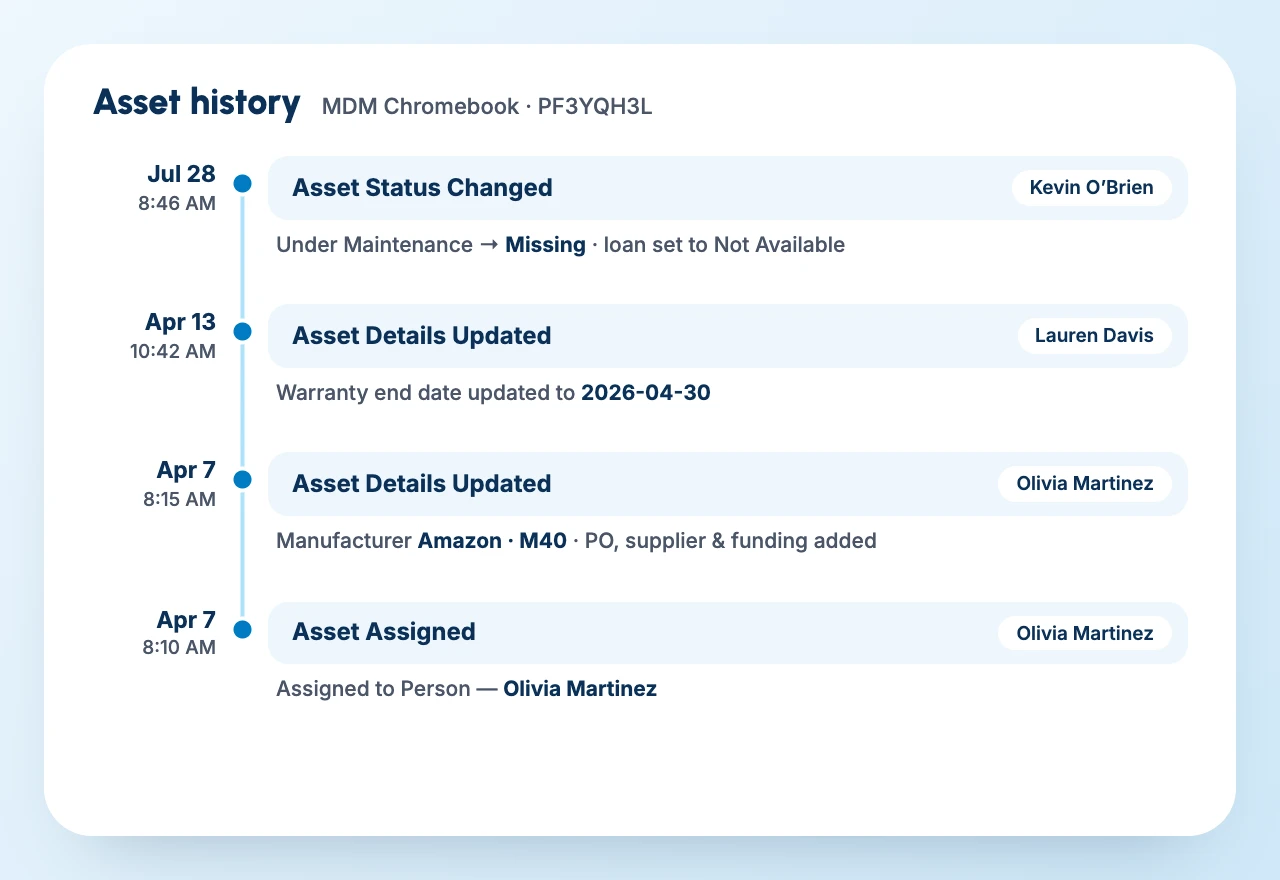
Use mobile barcode scanning, and customizable label printing to speed up receiving, deployment, return, and audits. Import mass quantities and perform automated bulk updates.
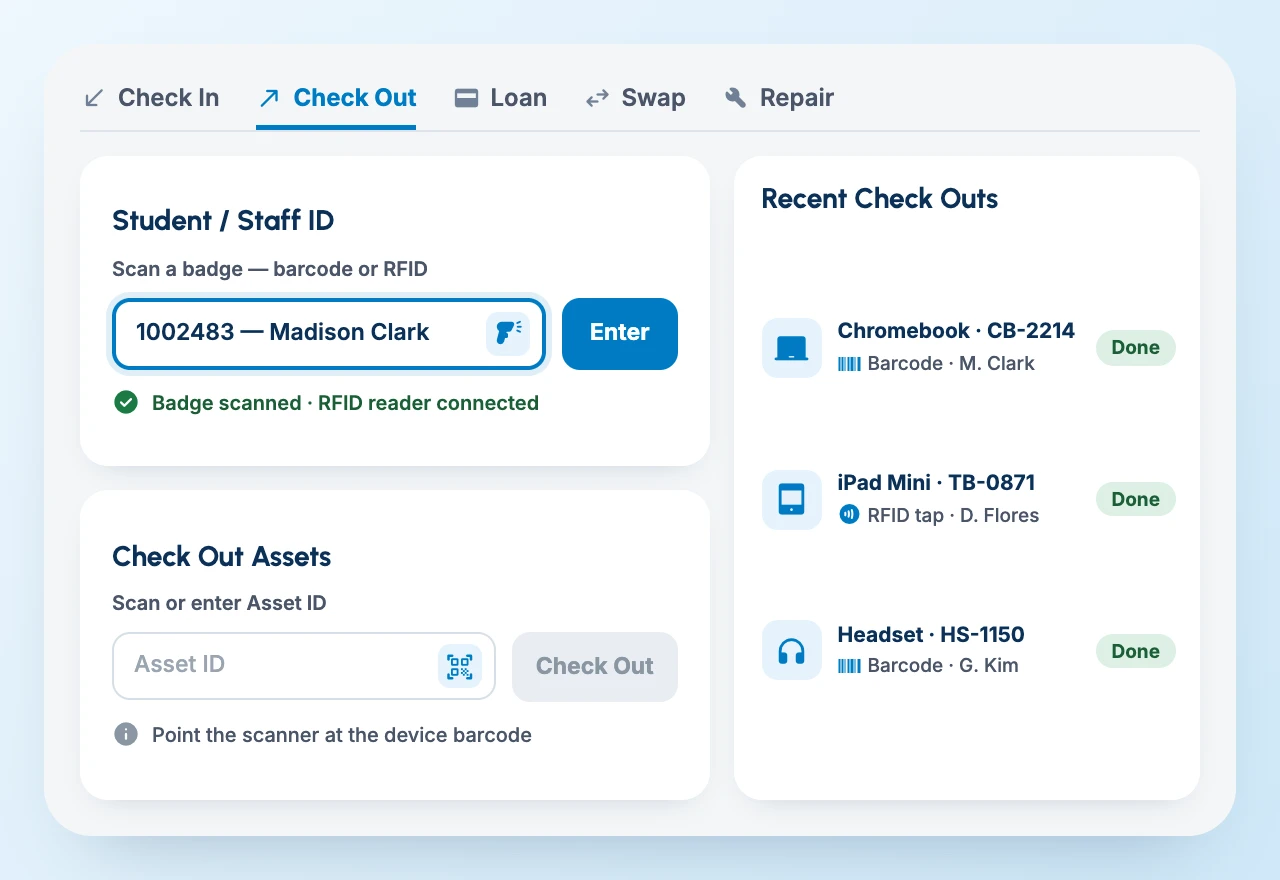
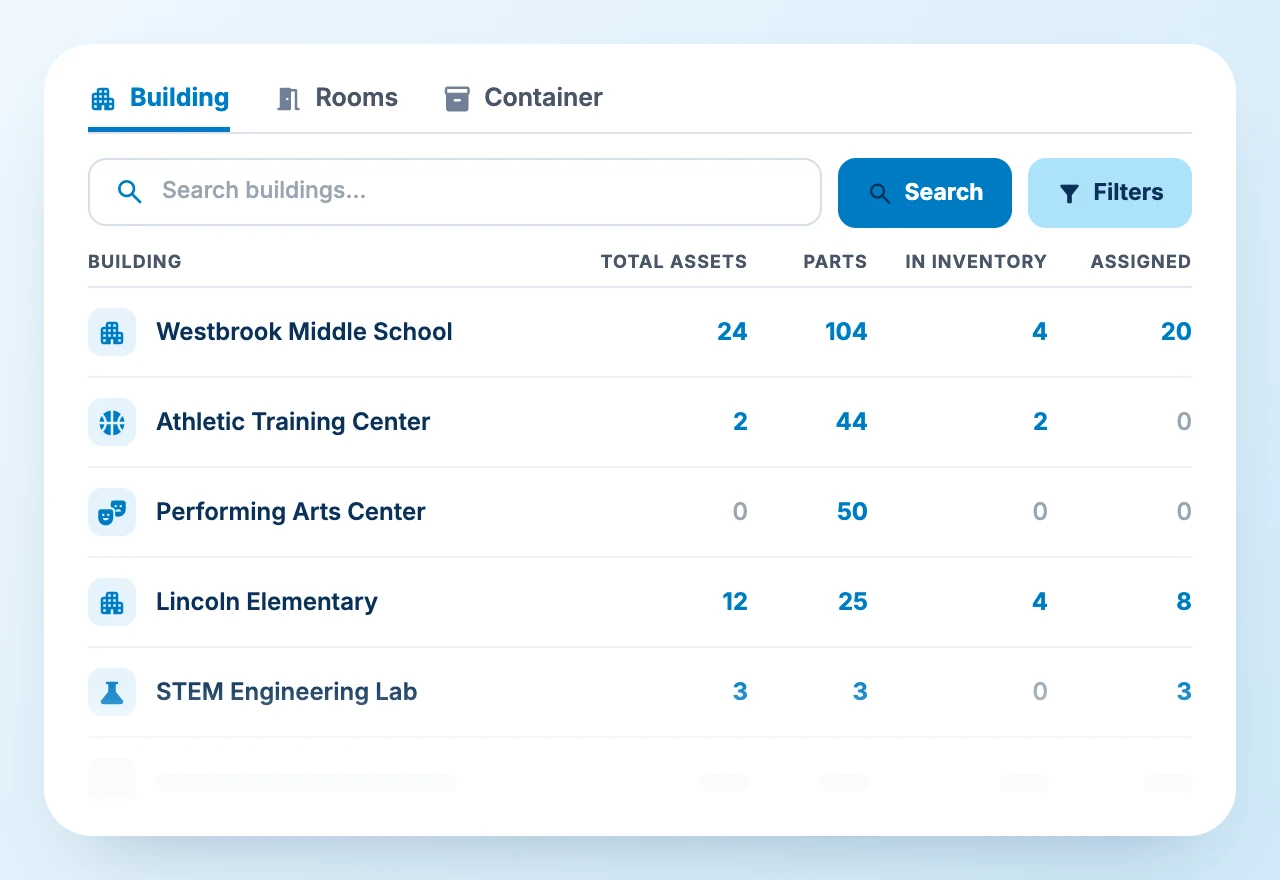
Configurable dashboards track assets, parts, and accessories by location and user, with automated low-inventory alerts for chargers, cables, adapters, and repair stock.
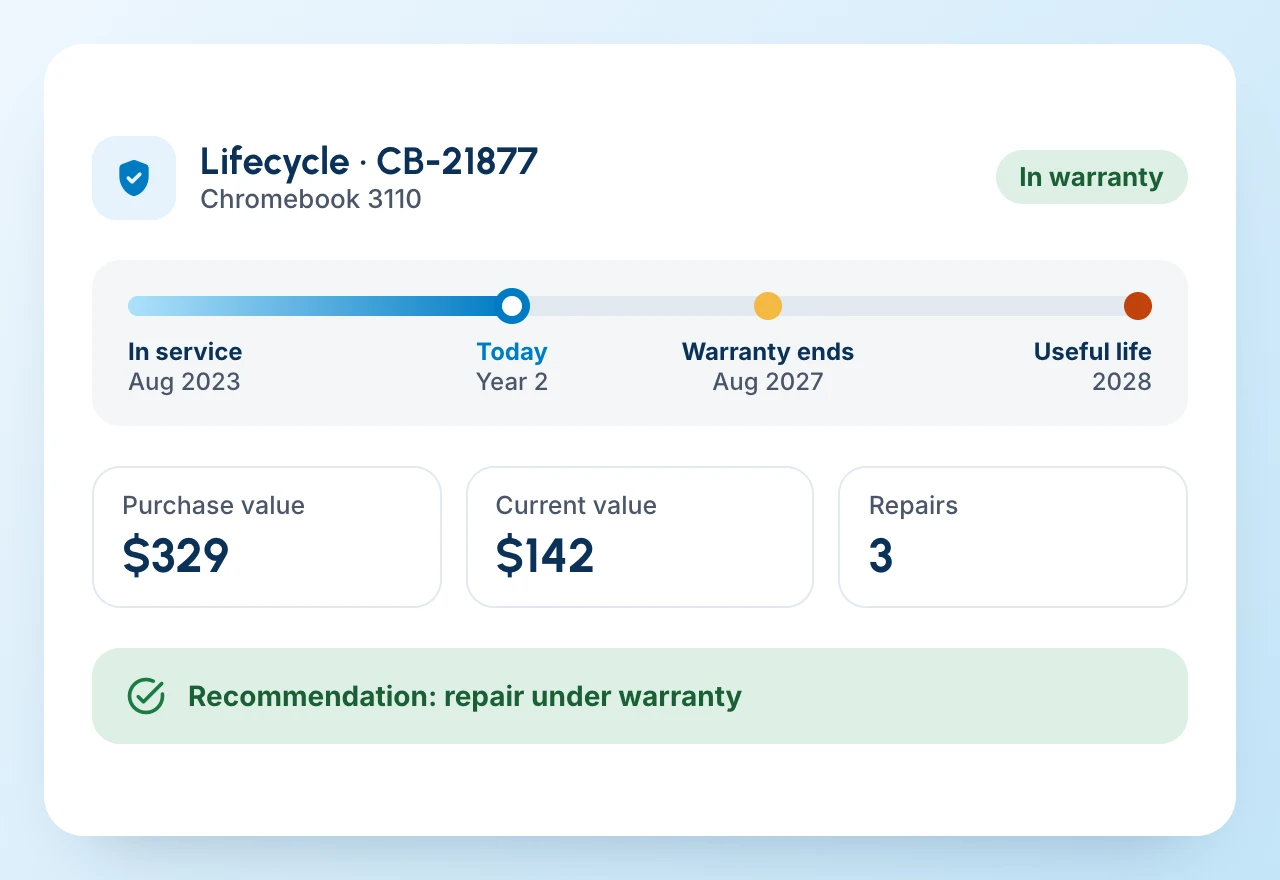
See warranty dates, in-service date, repair history, useful-life assumptions, purchase value, and other context needed for rational refresh decisions.
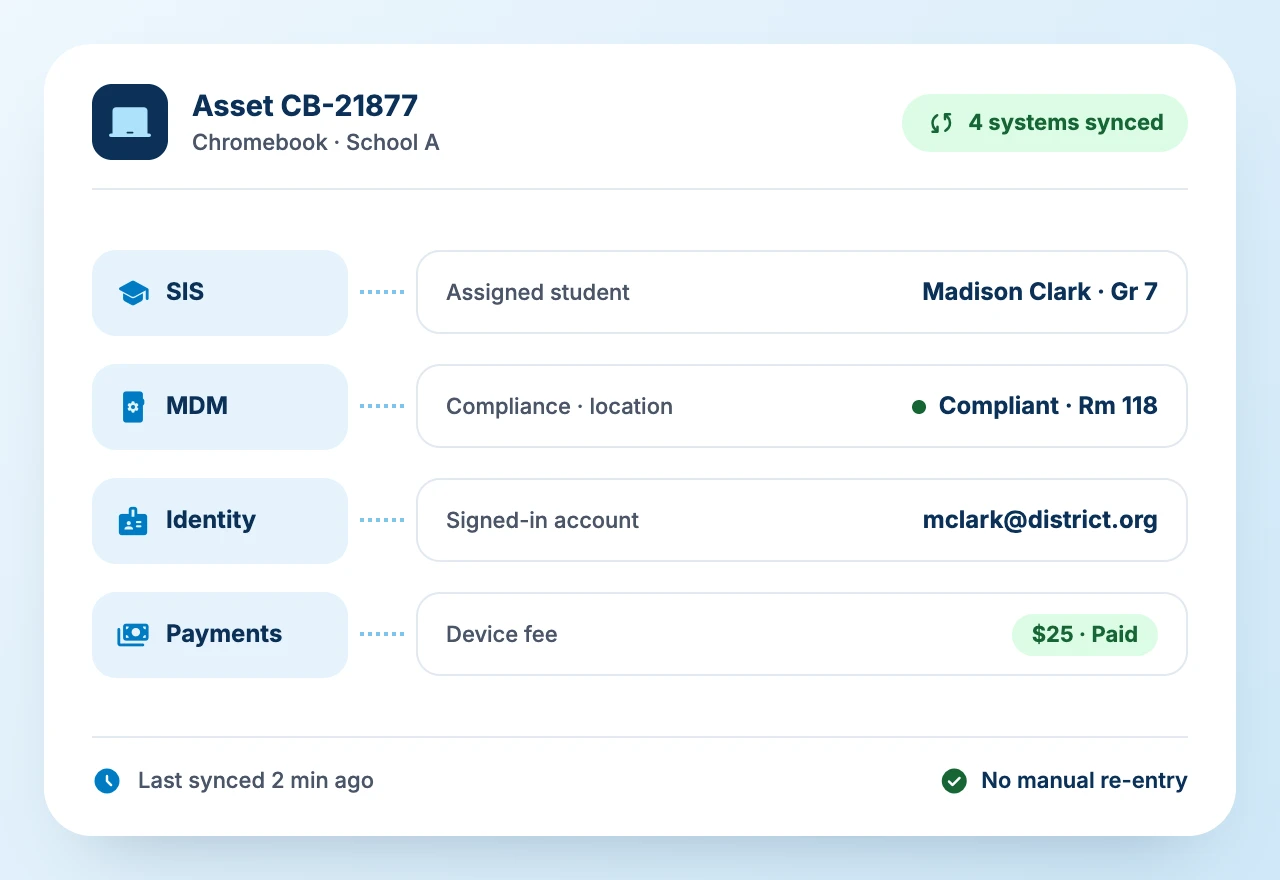
SIS, MDM, identity, and digital payment platforms supply student assignment, device compliance and location, and fee-collection context, so staff do not rebuild relationships the district already knows.

Why K-12 IT leaders choose Onflo
Purpose-built to track, fund, and protect every district device across its lifecycle.
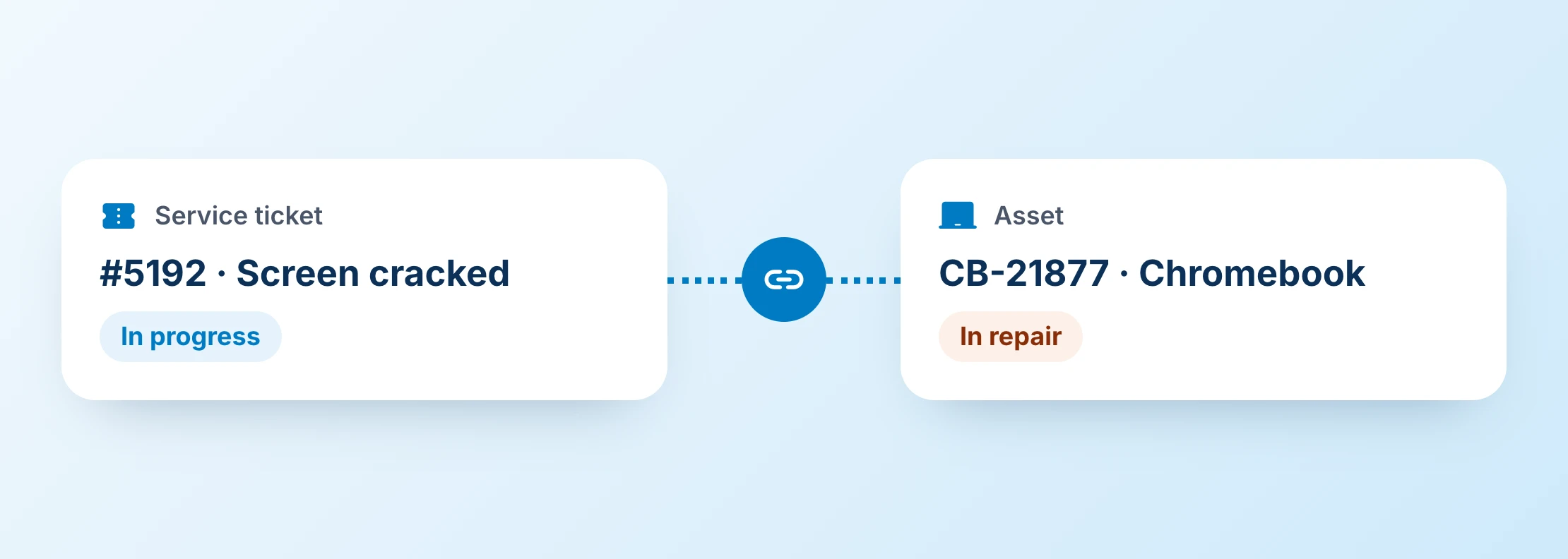
ITSM + ITAM Linkage
Manage asset-related issues alongside service tickets in one seamless process on the Onflo Unified Service Desk.
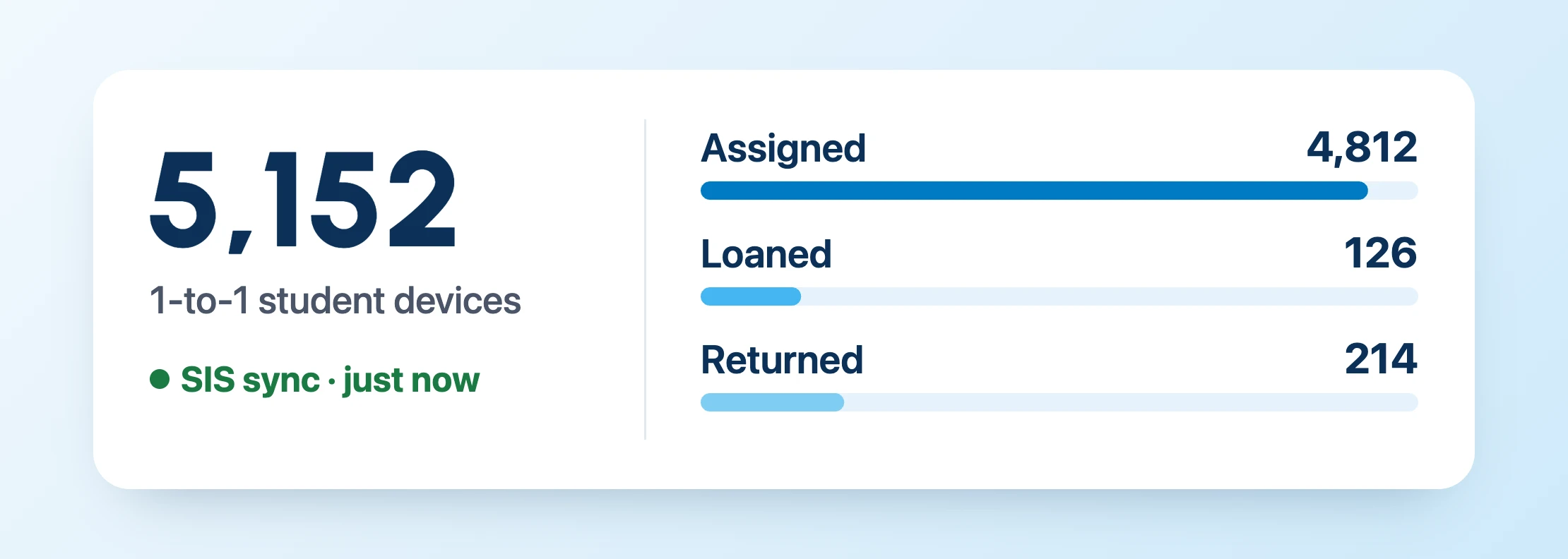
Easier 1-to-1 Device Management
Manage 5,000+ devices assigned, loaned, or returned to individual students, with SIS integration for easier assignment and real-time tracking.
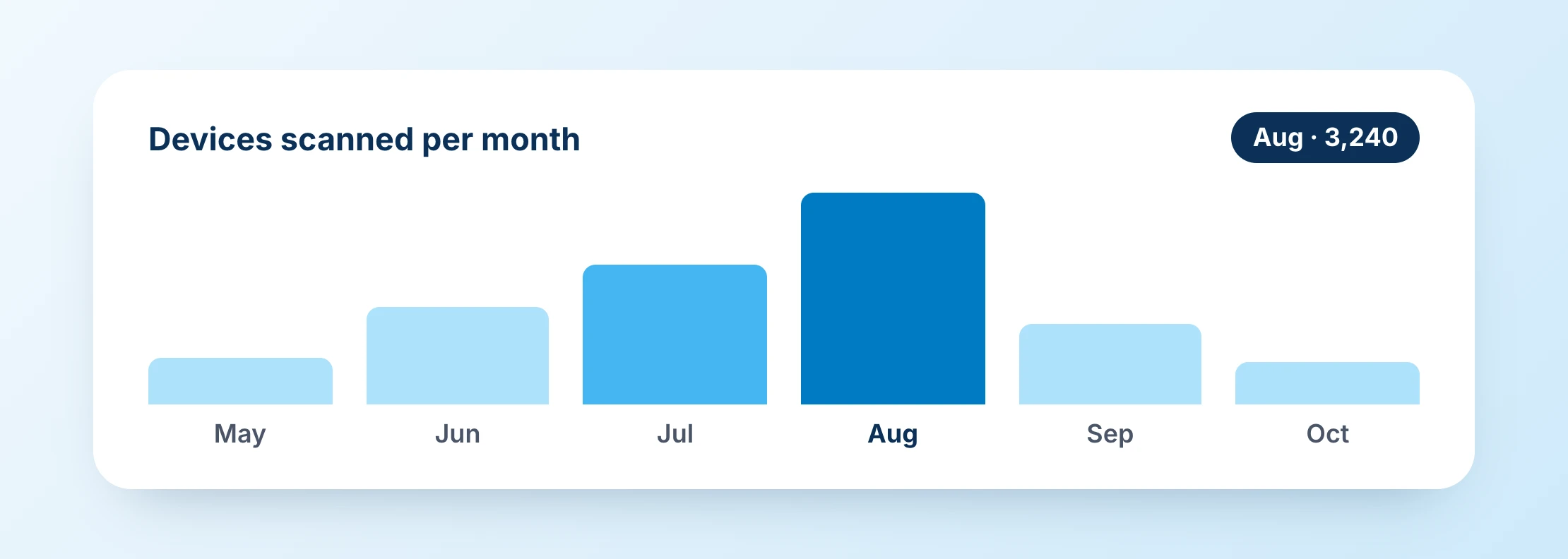
Designed for Seasonal Spikes
Large-scale receiving, reimaging, refreshes, audits, and deployments happen in narrow back-to-school and summer windows. Barcode and RFID scanning keep updates fast during peak seasons.
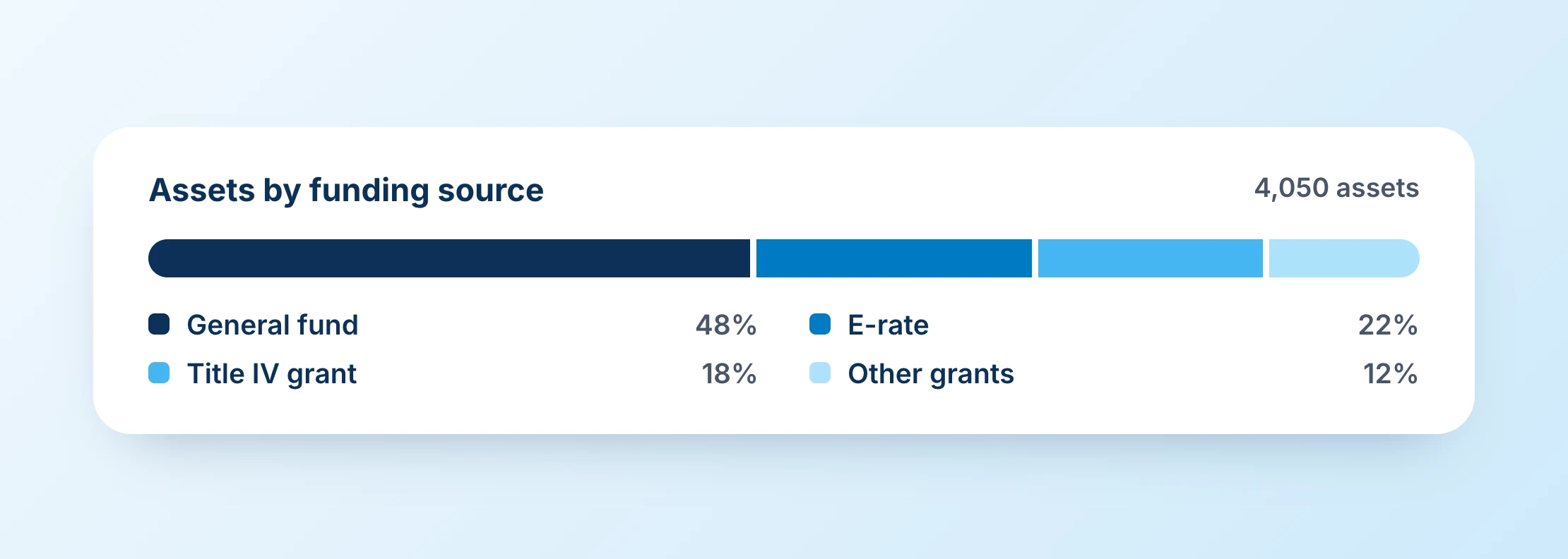
Detailed Funding Accountability
Track assets purchased through multiple funding sources, including grant or E-rate context that matters when technology is transferred, repurposed, or disposed of.
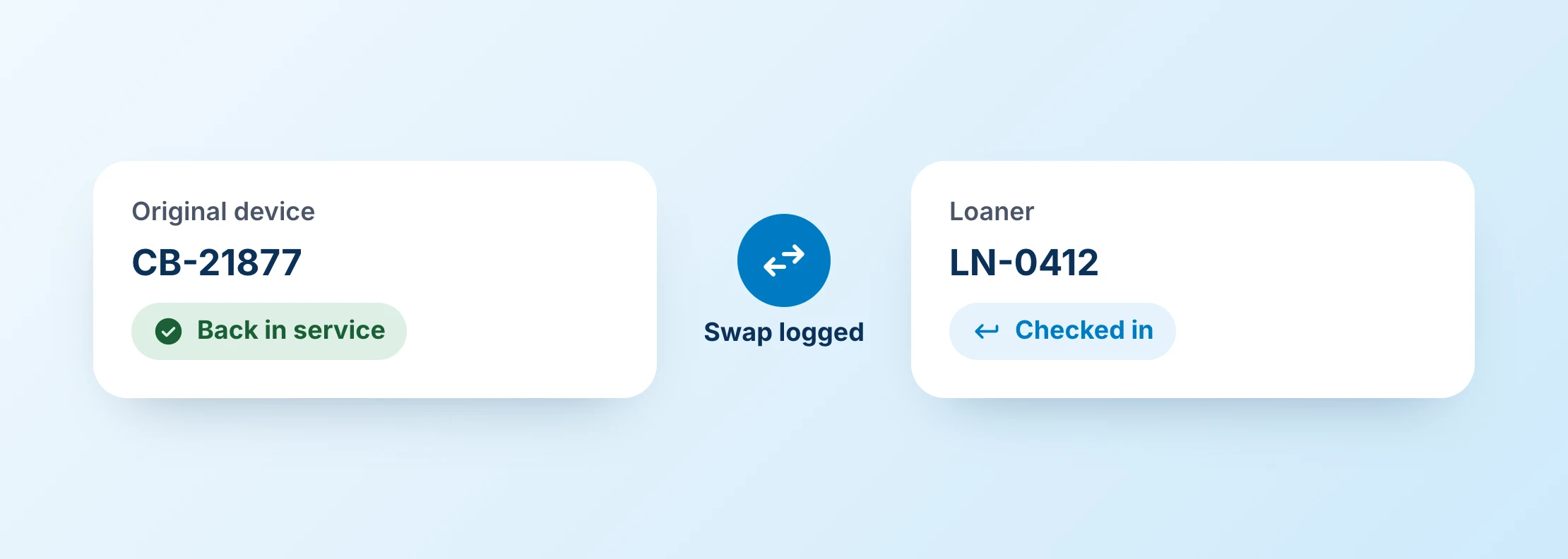
Loaners and Swaps Without Losing Track
Repair does not stop the school day. IT knows what was checked in, what was issued temporarily, and whether the original device came back into service.
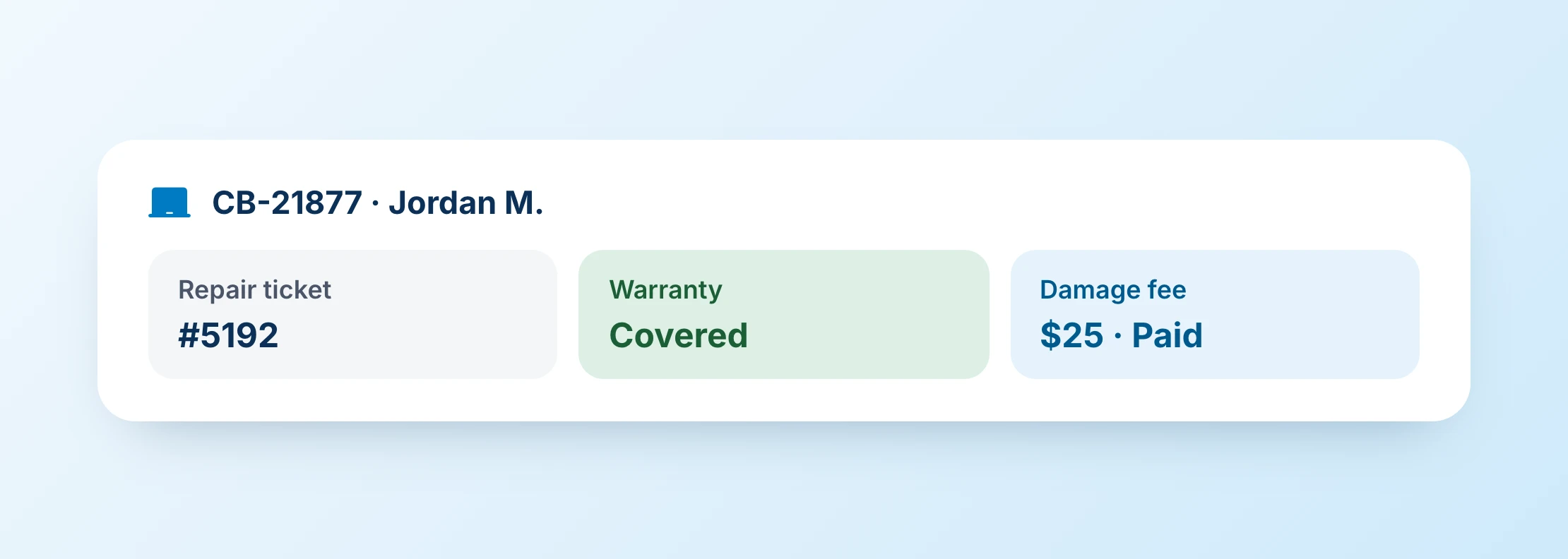
Warranty, Repair, and Fee Tracking
Link service desk tickets to repair records and warranty status, and track fees to be collected for assigned assets.
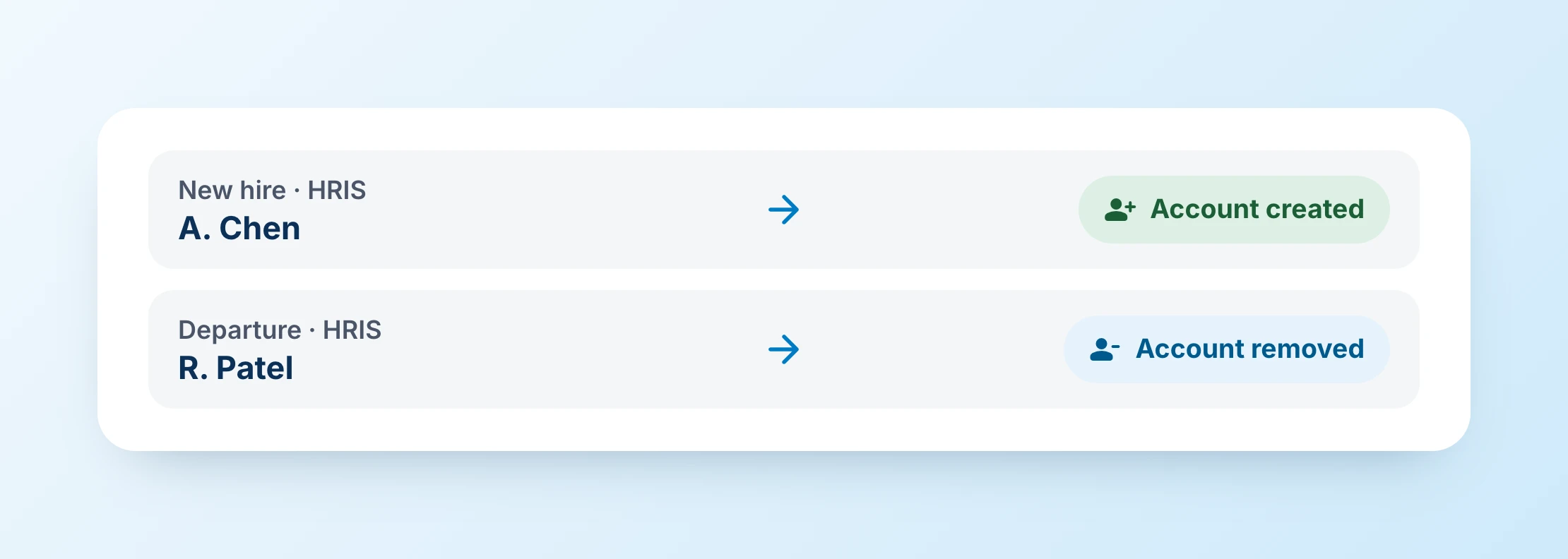
Automated Provisioning
Create and remove accounts instantly as users come onboard or leave.
Onflo delivers measurable value to K-12 districts
Results districts can measure
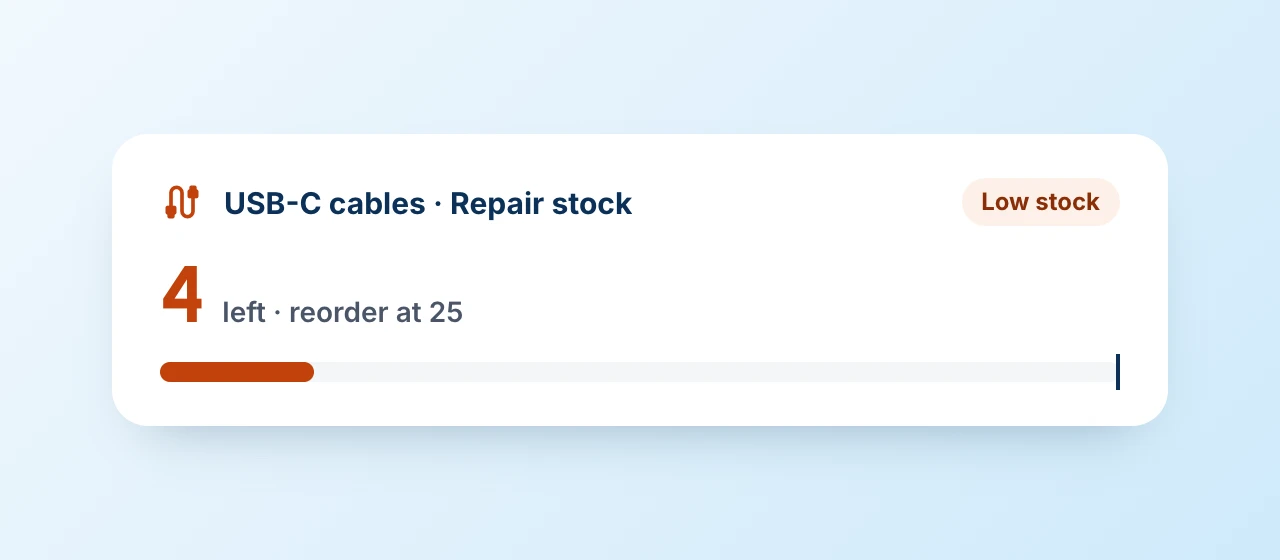
A small part can stop a large operation
In one district, the IT department ran short of a particular cable because its asset system did not handle consumables or untagged parts well. The problem became visible only when staff needed the part. IT asset management has to account for the supporting inventory that keeps service moving, not only individually tagged devices.
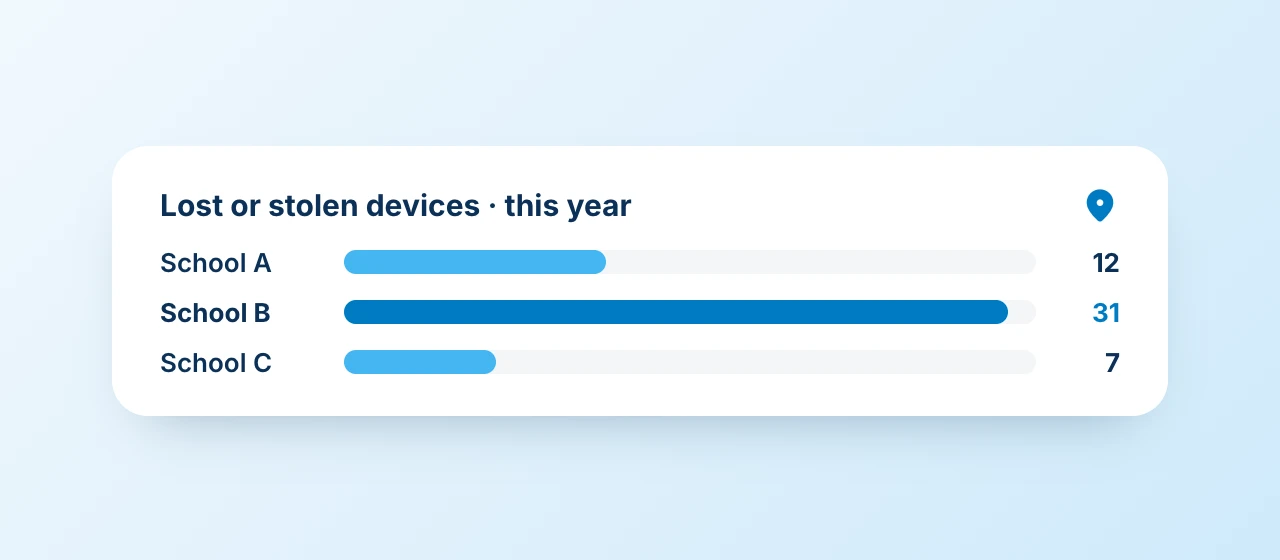
Loss becomes easier to explain when principals can see it
In another district, principals could not easily see how many devices were lost or stolen from their campuses. Without that visibility, requests for additional devices could look like unnecessary spending. Asset data changes the conversation from anecdote to evidence.
How IT asset management works in a school district
From receiving dock to retirement
-
01
Receive and identify
Capture the device, serial number, tag, purchase information, funding source, warranty, and initial location as it enters the district.
-
02
Assign and deploy
Check devices out to students or employees, move them among schools or rooms, and record loaners, swaps, and returns as custody changes.
-
03
Support and repair
Keep the asset connected to the service desk so every repair, part, cost, and service event becomes part of the lifecycle history.
-
04
Audit and reconcile
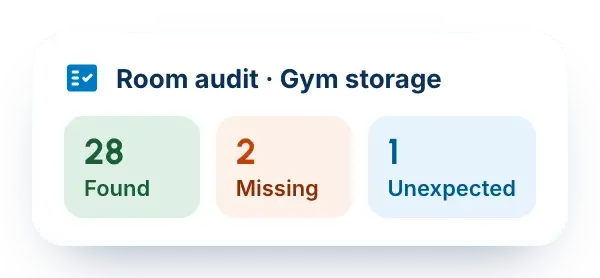
Scan what is physically present, compare it with expected records, and create follow-up work for missing, unexpected, or incorrectly assigned assets.
-
05
Refresh or retire
Use age, warranty, repair history, residual value, policy, and funding context to decide when a device should be repaired again, refreshed, reassigned, or retired.
A week in district IT, with Onflo
Where connected IT asset management changes day-to-day work
Student device deployment
Scan and assign large device batches to students while preserving school, user, serial, tag, and custody history from the first day of use.
Repair and loaner workflow
A broken Chromebook enters repair, a loaner is issued, the ticket captures parts and labor, and the original device returns to service or is replaced.
Lost charger or device
Record the loss against the student or employee, apply district policy and any fees, and preserve the event as part of the asset and service history.
Building or room audit
Scan what is physically present and compare it with the system record. Missing or unexpected devices create follow-up work immediately.
Warranty expiration review
Identify devices approaching warranty expiration so IT can inspect condition and make a proactive decision before coverage is lost.
Refresh planning by evidence
Compare age, repair frequency, support cost, model performance, loss, and residual value to build a refresh plan that Finance and leadership can understand.

Transform K-12 IT Asset Management Today
Join modern school districts using Onflo to streamline IT asset management and improve stakeholder experience.
Frequently asked questions
K-12 Asset Management FAQs
K-12 IT asset management is the discipline of managing technology from receipt through retirement, not simply counting devices. A complete record follows the device as it is tagged, assigned, checked out, loaned, swapped, repaired, returned, audited, refreshed, and ultimately retired.
In school districts, the record also needs to reflect who has the device, which school it belongs to, how it has been serviced, what it has cost to support, and what restrictions or funding rules may apply.
- Receiving and asset identification with tags, serial numbers, purchase details, and location
- Student and staff assignment with check-out, return, loan, and swap history
- Barcode, QR, or RFID scanning for receiving, deployment, collection, and audits
- Help desk linkage so tickets and repairs stay tied to the device
- Parts and consumables for chargers, cables, adapters, and repair stock
- Warranty and funding context to support compliant lifecycle decisions
- Audit and reconciliation workflows by building, room, storage area, or user
- Repair-versus-replace context using age, repair history, value, and service cost
- MDM, SIS, and identity integrations so technical and ownership context work together
- Role-based security and configurable workflows that reflect district rules
- Lifecycle reporting for refresh planning, loss, repair patterns, and budget justification
Inventory tracking answers what the district has and where it is at a point in time. MDM is primarily concerned with device configuration, policy, security, and technical control. IT asset management adds lifecycle process and history: procurement, assignment, repair, swap, loaner activity, warranty, costs, audit reconciliation, refresh planning, and retirement. The strongest district workflows connect them so technicians see technical device context without duplicating the asset record.
| Category | Primary job | What it does not replace |
|---|---|---|
| Inventory tracking | Records what the district has, where it is, and often who it is assigned to | The full lifecycle process around repair, loan, audit, refresh, or retirement |
| IT asset management | Manages custody, service history, lifecycle, financial context, audits, and decisions from receipt through retirement | The technical device controls of an MDM |
| MDM | Manages technical configuration, security policy, applications, and device controls | The district’s physical custody, financial, audit, or repair lifecycle record |
Yes. A district ITAM program should support individually tagged devices such as Chromebooks, laptops, and tablets, while also supporting parts and consumables such as chargers, cables, and power supplies that may be managed by quantity rather than individual tag. Loaners, swaps, check-outs, and returns should be part of the same operating history.
The asset record should travel with the service request. When a technician opens a ticket, they should be able to see the assigned device, prior repairs, current status, warranty, and other relevant context without searching another system. Onflo links ITSM and ITAM so service and lifecycle decisions are not separated.
School Help Desk SoftwareYes. Barcode, QR, or RFID scanning reduces manual entry during receiving, student device deployment, collection, room audits, and reconciliation. Batch scanning is particularly valuable in K-12 because districts often move large numbers of devices during summer refreshes, back-to-school deployment, and end-of-year collection.
A useful asset record combines purchase value, in-service date, warranty status, repair history, parts and labor history, useful-life assumptions, and residual value. That gives IT a more defensible basis for deciding whether another repair makes sense or whether the district should replace the device.
Yes. Assignment and location history make it easier to see who had a device, where it was expected to be, and how its status changed. Districts can also use reporting to identify patterns by school, model, or device type instead of treating each missing device as an isolated event.
Yes. Warranty dates affect service and refresh decisions, while funding sources such as grants or E-rate can influence how an asset may be used, transferred, or disposed of. Integration with digital payment platforms also lets districts track fee-collection status for assigned assets. Keeping that context with the asset reduces the risk of making lifecycle decisions without the information Finance, IT, or auditors may need.
A district should be able to compare what the system expects with what staff physically scan in a building, room, or storage area. Reconciliation should surface missing, unexpected, or incorrectly assigned devices and create follow-up work rather than leaving discrepancies in a spreadsheet.
Useful measures include assets by status and location, assignment accuracy, repair frequency by model, repeat repairs, average time in repair, lost or stolen devices, warranty expirations, devices approaching refresh, parts consumption, and audit discrepancies. The goal is to make lifecycle risk and support cost visible before budget decisions are made.
Yes. Asset management can be introduced where the immediate need is device control, audits, or lifecycle visibility. Over time, districts may choose to connect or consolidate help desk and asset workflows when the operational and economic case is clear.