


School work order system
Give Every Maintenance Request a Dependable Path to Resolution
- Capture every request with campus, building, room, and asset context
- Prioritize, and route workorders to the right teams for field execution
- Replace fragmented inputs with a seamless work-order process
Trusted by districts nationwide








School Maintenance Has Outgrown Calls, Emails, and Paper.
Maintenance work should not depend on who knows whom.
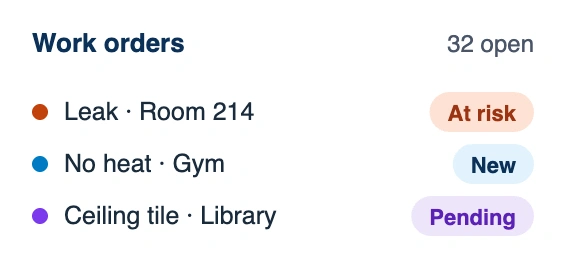
Facilities requests arrive through calls, email, text messages, walk-ups, forms, and work-order systems that only some people consistently use. Fragmented intake makes priority harder to see and follow-through harder to guarantee.
Requests Arrive Everywhere
A teacher emails one person, a principal calls another, and a custodian reports the same condition verbally. The team spends time reconciling channels instead of fixing the problem.
Priority Depends on Escalation
An urgent condition should rise because of safety and operational impact, not because the requester happens to know a board member or senior administrator.
Field Work and System Records Drift Apart
When technicians update work only after returning to the office, supervisors and requesters operate on stale information and service history becomes incomplete.
Preventive Work Gets Crowded Out
Reactive requests are loud. Without a visible schedule and backlog, recurring maintenance is postponed repeatedly until the district pays for the failure later.
K-12 Work Order Software Capabilities
Onflo keeps facilities crews moving and requesters informed, in one place
Structured intake of work orders
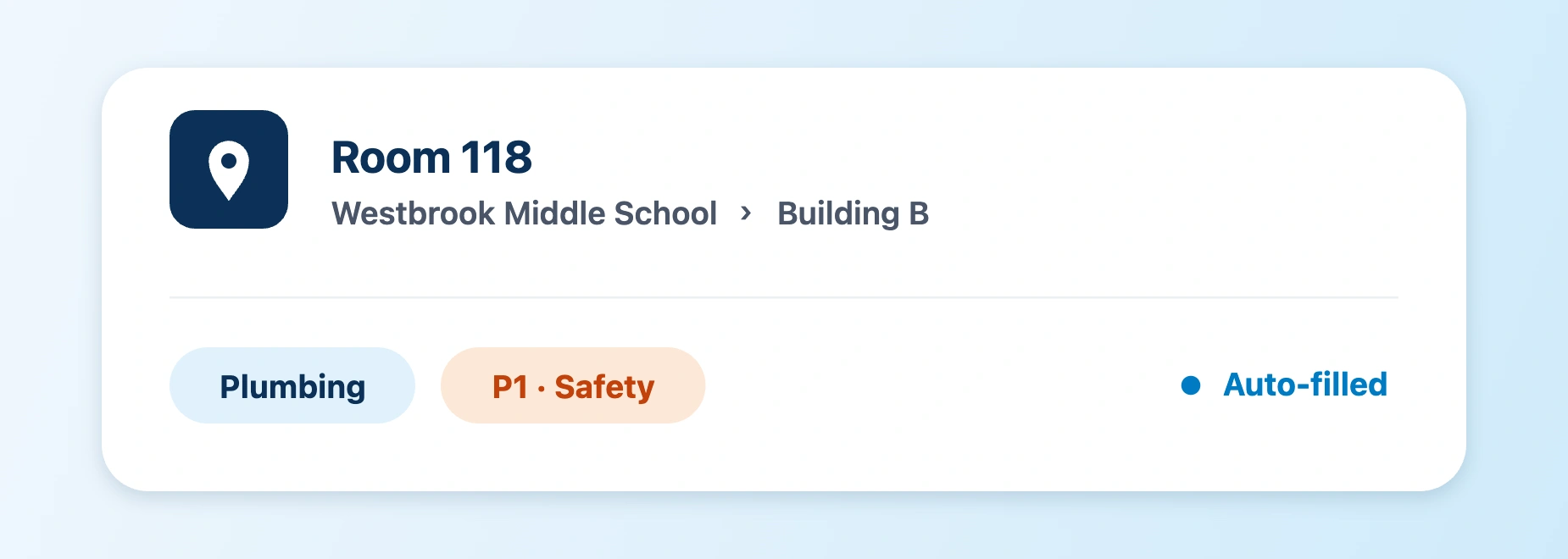
Onflo reduces the need of clarifying calls by capturing the location, room, category, urgency, photo, and problem details needed to dispatch work
Omnichannel intake of requests
Onflo collates requests from calls, emails, texts, paper, and forms, and the requestor doesn’t need to know the facilities org chart to get things done
Priority and routing
Onflo moves requests into the correct queue based on trade, campus, severity, location, or other district-defined rules, so safety and instructional-impact issues surface quickly.
Mobile work management
Onflo provides technicians their assignments, history, and documentation, and helps update the record with notes, photos, and status while at the job.
Preventive maintenance
Schedule recurring work around assets, buildings, rooms, or district-defined routines, and make due or overdue tasks visible before reactive demand pushes them off the calendar.
Integrated facilities asset context
Link each work order to the asset being repaired so every repair enriches its history, including repeat failures, prior photos, and maintenance burden.
Requester communication
Acknowledge the request, ask questions, provide status, and confirm completion so school staff do not have to chase the maintenance office.
Operational reporting
See backlog, response time, work by campus, workload by trade or technician, recurring issues, and work at risk of delay.
Why K-12 facilities leaders choose Onflo
Built for K-12 maintenance operations, where the school priorities define urgency
School-specific operational backbone
Build for school systems covering context like buildings, rooms, staff, and processes, priorities and dashboards ensuring the right fit for school districts.
Automated workflows for work order management
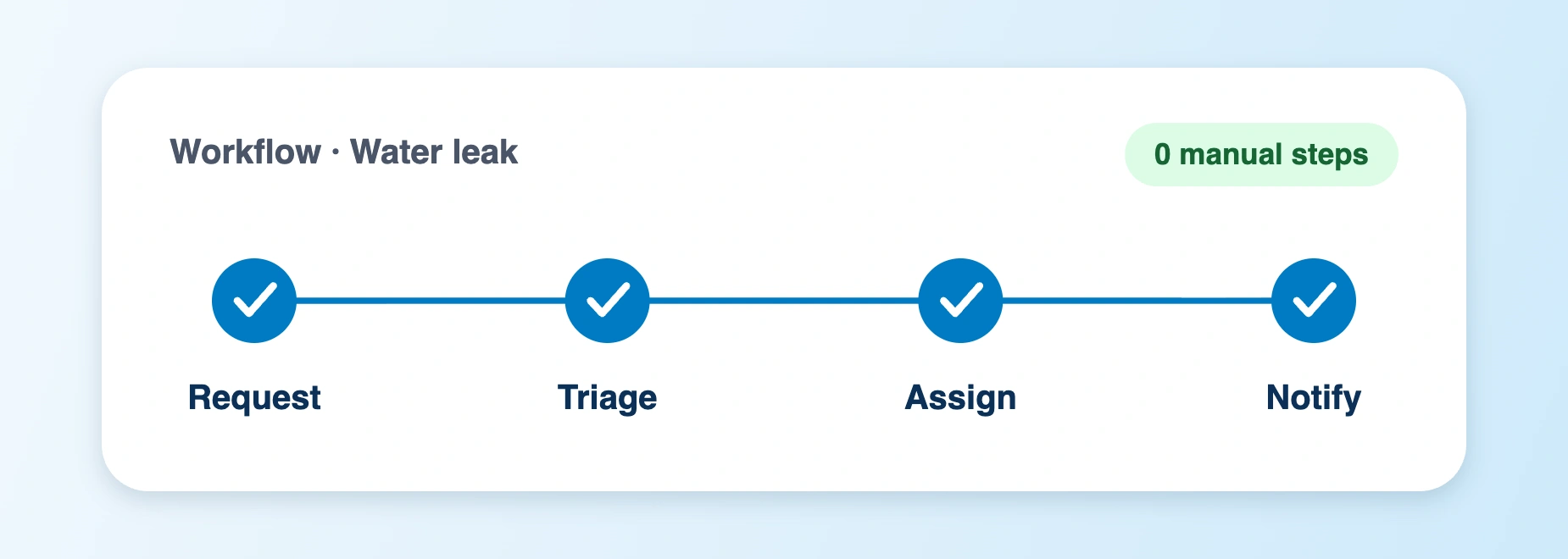
Intelligent automations keep facilities requests flowing seamlessly across every channel.
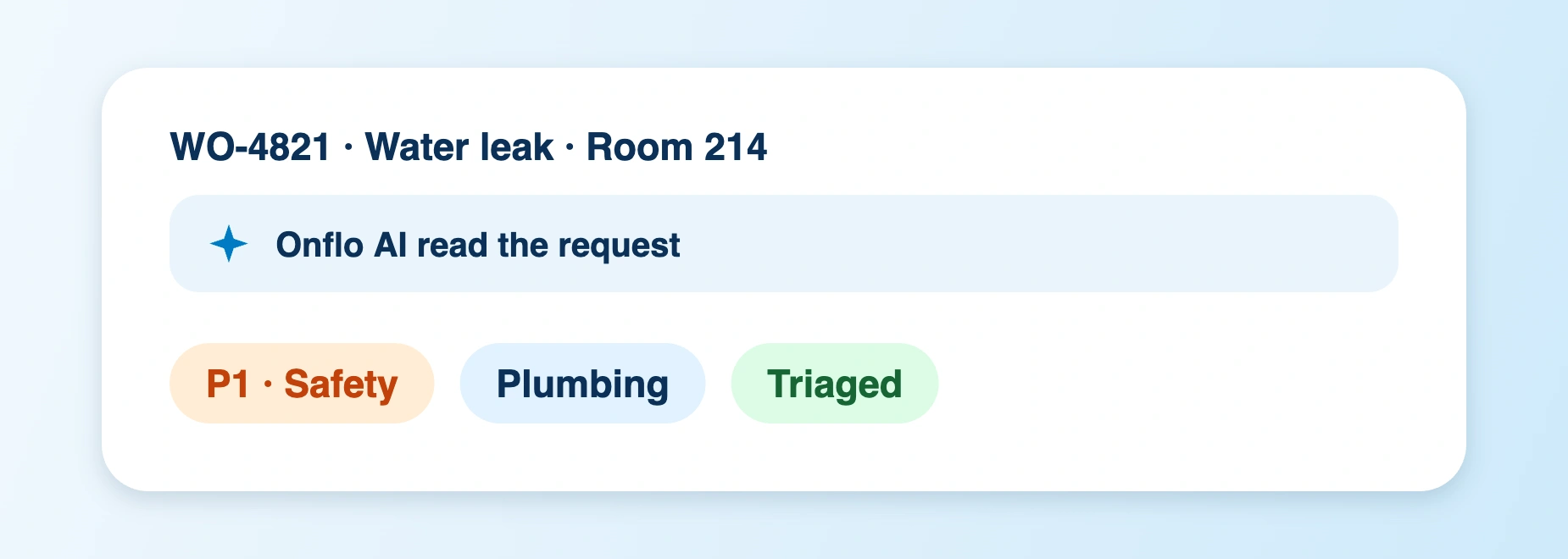
AI-powered work order management
Onflo AI automatically reads context behind requests, defines priority and triages every request helping improve requestor and agent experience
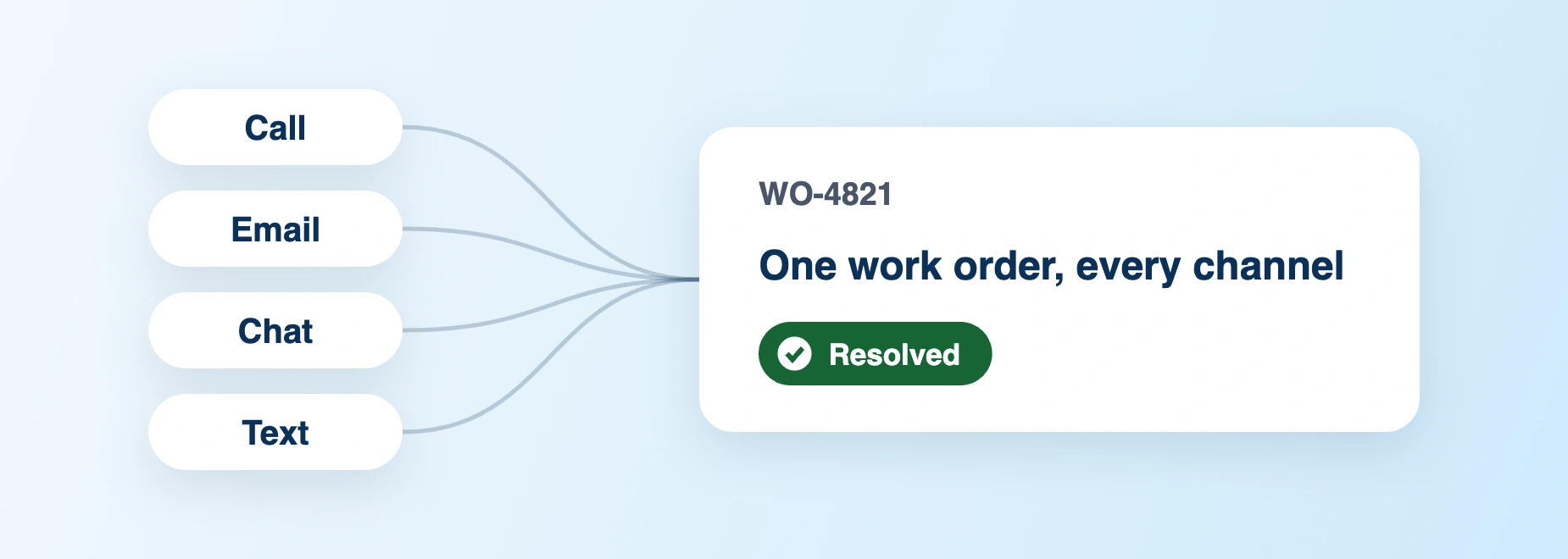
Integrated with help desk and call center
Easier to manage and split requests across departments, with the ability to take requests by call, email, or any other channel.
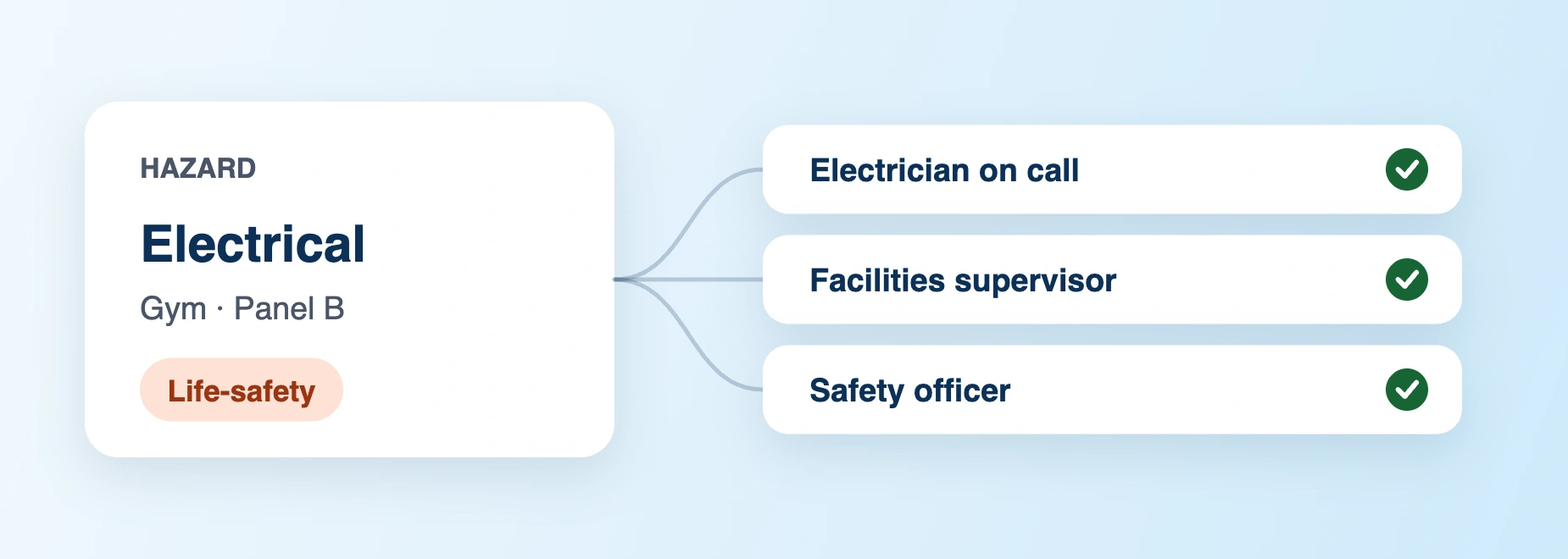
Defined safety escalation
Electrical hazards, leaks, life-safety conditions, mold, playground concerns, and other serious issues follow a defined route that does not rely on someone noticing an email.
How school work order management system works
From reported problem to documented resolution
Request
A school employee reports the issue with location, room, description, photo, or other information needed to understand the condition.
Triage and prioritize
The system or dispatcher evaluates safety, severity, instructional impact, issue category, and location so urgent work moves ahead of routine requests.
Assign the right crew
Route the work to the responsible trade, technician, vendor, or team based on location, skill, queue, or district rules.
Execute in the field
The technician sees history, performs the repair, adds notes and photos, records parts or other relevant information, and updates status from the job site.
Complete and learn
Notify the requester, preserve the work history, update the associated asset, and use the resulting data to identify backlog, repeat problems, and process improvement opportunities.
A week in district facilities, with Onflo
Common maintenance motions that deserve a dependable path
Water leak during the school day
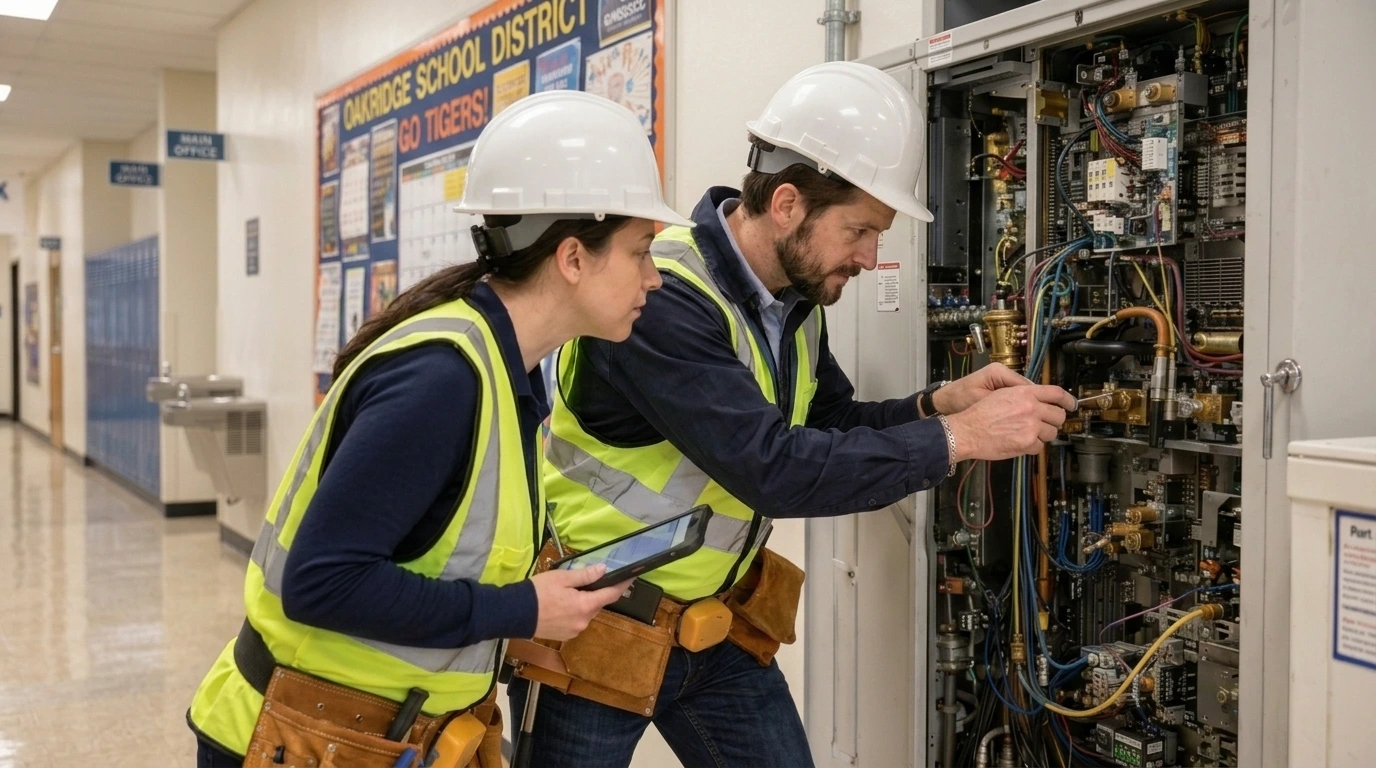
A teacher reports a leak with a room and photo. Onflo prioritizes the request, routes it to the right trade, and keeps it visible until the condition is corrected and the requester is notified.
No heat or cooling in occupied space
The work order carries exact building and room context and links to the HVAC asset’s prior service history, so the technician does not start from zero.
Ceiling or moisture problem before summer
Onflo ensures a request that might otherwise disappear into a seasonal handoff, remains owned, timed, and visible, so a reported condition does not return months later as a larger building problem.
Electrical or life-safety condition
Onflo follows urgency rules to place the issue into a defined escalation path instead of letting a potentially serious condition wait in a general queue.
Playground or athletic-facility repair
Onflo captures location, photos, hazard information, assignment, and completion history for assets exposed to heavy use and public visibility.
Classroom display installation
IT owns the technology task while Facilities owns the physical mounting. The teacher sees one request, not two departments that need to be coordinated manually.
Modernize Facilities Maintenance Across Your District
See how Onflo can connect maintenance requests, priority, field execution, asset history, and reporting in one school-specific operating platform.
Frequently asked questions
Facilities Work Order Management for Schools FAQs
School work order software turns maintenance requests into visible, owned, prioritized work. A teacher, principal, custodian, office employee, or other staff member can report a need, and the facilities team can triage it, route it to the right trade or technician, track the work, communicate status, and preserve what happened for future reference.
For K-12 districts, the challenge is not simply digitizing a maintenance form. The process needs to work across campuses, rooms, trades, school-day priorities, preventive maintenance, urgent safety conditions, and mobile field crews without requiring the person reporting the issue to know the maintenance organization chart.
- Easy request intake for teachers, administrators, custodians, and other school staff
- Campus, building, and room context so crews know exactly where the work is
- Triage and priority rules that surface safety and instructional-impact issues quickly
- Trade and technician assignment with visible queues and ownership
- Mobile field execution for notes, photos, status, and completion updates
- Asset linkage so repair history enriches Facilities Asset Management
- Preventive maintenance with recurring schedules and overdue visibility
- Requester communication from acknowledgement through completion
- Parts, labor, and cost context where the district needs it
- Reporting by campus, priority, trade, and backlog for operations and leadership
The system should be usable by non-technical school staff as well as maintenance professionals.
Work order management manages the job that needs to be completed. Facilities asset management manages the physical equipment or building system over its lifecycle. A leaking valve may create a work order today, while the valve or plumbing system’s asset record should preserve repeated repairs, condition, cost, and maintenance history over time.
| Comparison point | Work Order Management | Facilities Asset Management |
|---|---|---|
| Center of the record | The job or request that needs to be completed | The physical asset or building system over its lifecycle |
| Time horizon | From intake through completion of the current work | From installation or acquisition through years of maintenance, condition change, and replacement |
| What connects them | Every completed work order should enrich the asset history, and every new work order should be able to use that history | |
Not necessarily. A CMMS is a broader maintenance-software category that usually includes work orders, preventive maintenance, assets, and related records. A school work order system may be narrower or may be part of a full CMMS. K-12 districts should evaluate whether the product fits campuses, rooms, school-day urgency, multiple trades, mobile crews, and districtwide permissions rather than relying on the category label alone.
Yes. Request intake should be simple enough for a teacher, principal, office employee, coach, or custodian to report a problem without knowing which trade or technician owns it. The facilities team should control routing and priority so the requester is not expected to understand the maintenance organization chart.
Priority should reflect safety, instructional impact, severity, location, and district policy. A water leak, electrical hazard, no-heat condition, life-safety problem, or issue affecting a large number of students should not compete with routine cosmetic work solely in the order requests arrived. Workflow rules can help surface urgent conditions quickly.
Workflow AutomationYes. Technicians should be able to view assigned work, update status, add notes, upload photos, record parts or other information, and complete work in the field. Mobile execution reduces the lag between the physical job and the service record.
Yes. Linking the work order to the asset means each repair adds to the asset’s history. That makes it easier to see repeat failures, maintenance burden, prior photos, and other context the next time a technician works on the same equipment.
Yes. Recurring tasks can be scheduled around assets, buildings, rooms, or district-defined maintenance routines. The system should make due and overdue preventive work visible so urgent reactive work does not silently crowd it out every week.
The requester should receive confirmation, status changes, questions from the facilities team, and completion communication without calling the maintenance office for updates. A service portal can also let authorized users see the history of their requests.
Useful measures include request volume, backlog, response time, completion time, preventive versus reactive work, overdue preventive maintenance, work by campus, trade, or technician, repeat requests, requests by priority, parts and labor where captured, and customer feedback. Metrics should help leadership identify bottlenecks and recurring building problems.
Yes. A request such as installing a large classroom display can include IT work and Facilities work without asking the teacher to submit two tickets. Cross-department tasks or collaborators keep each team responsible for its portion while preserving one customer-facing service motion.