



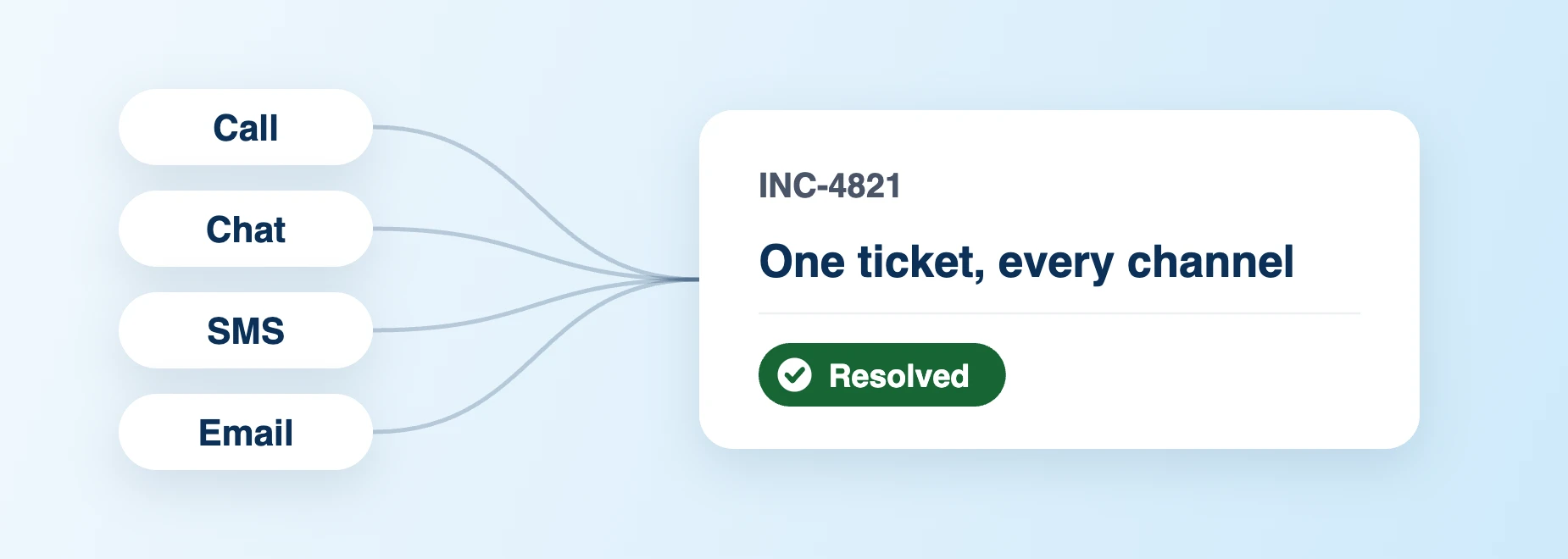
Synced with Digital Call Center & AI Chatbot
Receive and resolve IT tickets from calls, chats, SMS, emails and more on the same platform.
IT Service Management for Schools
Trusted by districts nationwide







School IT Responsibilities Keep Growing
School IT teams support teachers, students, staff, and families across schools, ever-increasing numbers of devices and growing service demands. But requests span channels, data sits in separate systems, and work often crosses departments. Dependable IT service requires clear priorities, connected data, and coordinated workflows within limited staffing and budgets.

Without intelligent detection of related tickets, a single incident can trigger a ticket surge, wasting technician’s time on repetitive ticket tasks.
High-impact incidents need immediate escalation; violations need policy-driven responses. Disconnected systems risk delayed service and inconsistent policy enforcement.
Separate asset records, MDM controls, and permissions force technicians to constantly switch tools and chase authorization for the daily tasks
Without reliable self-service, users file tickets for help they could get immediately. Avoidable tickets consume technician time, increase workloads and pressure to add staff.
Technicians waste time searching for requestor details, staff, school, device, and repair history across disconnected systems.
K-12 IT Support Capabilities
Onflo ITSM is a purpose-built service management platform for schools that unifies IT requests, assets, AI and automation, and district data to help schools resolve issues faster and deliver better IT services.
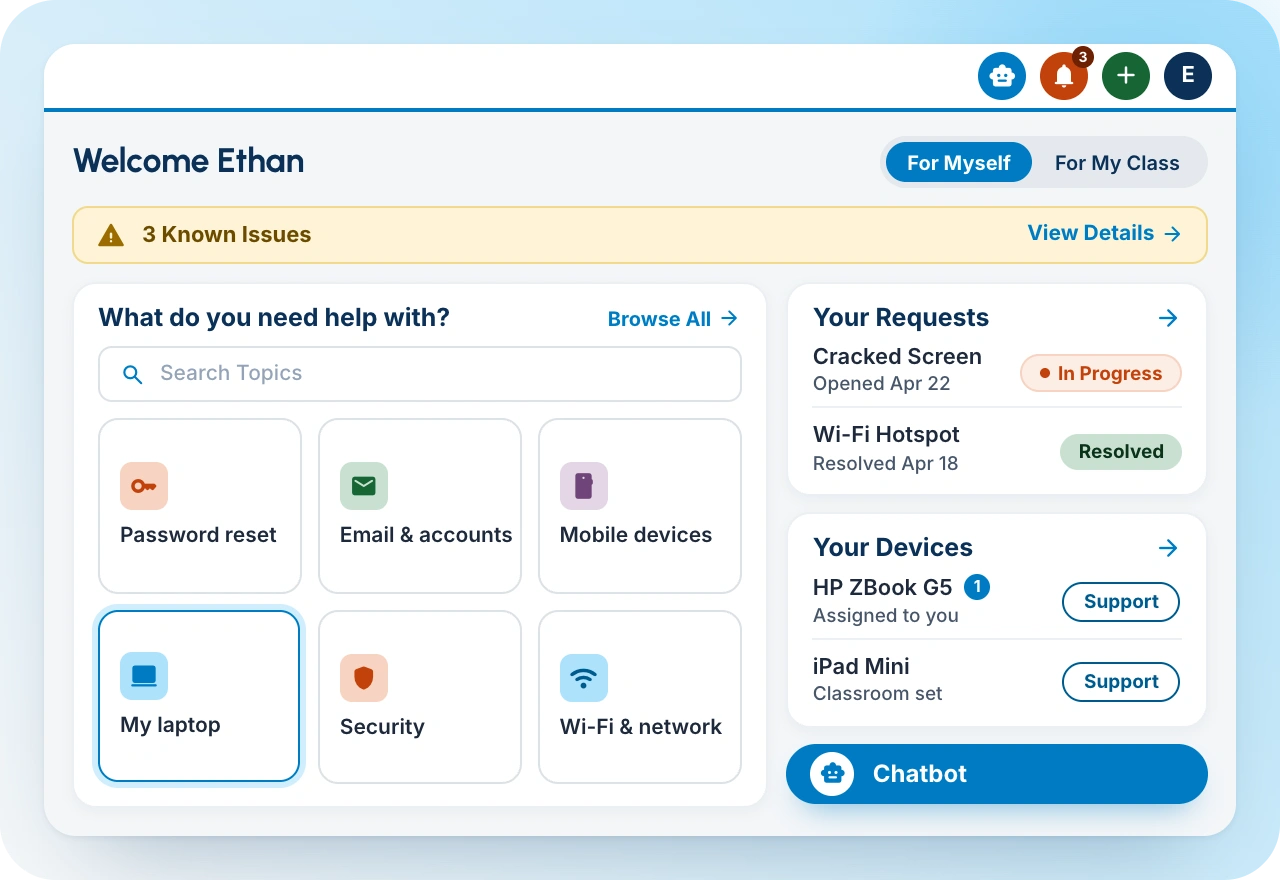
A dedicated requester portal that defines available services, and collect the right information up front. A classroom display problem should ask different questions from a software-access request.
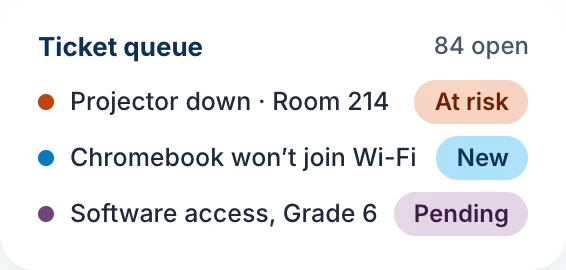
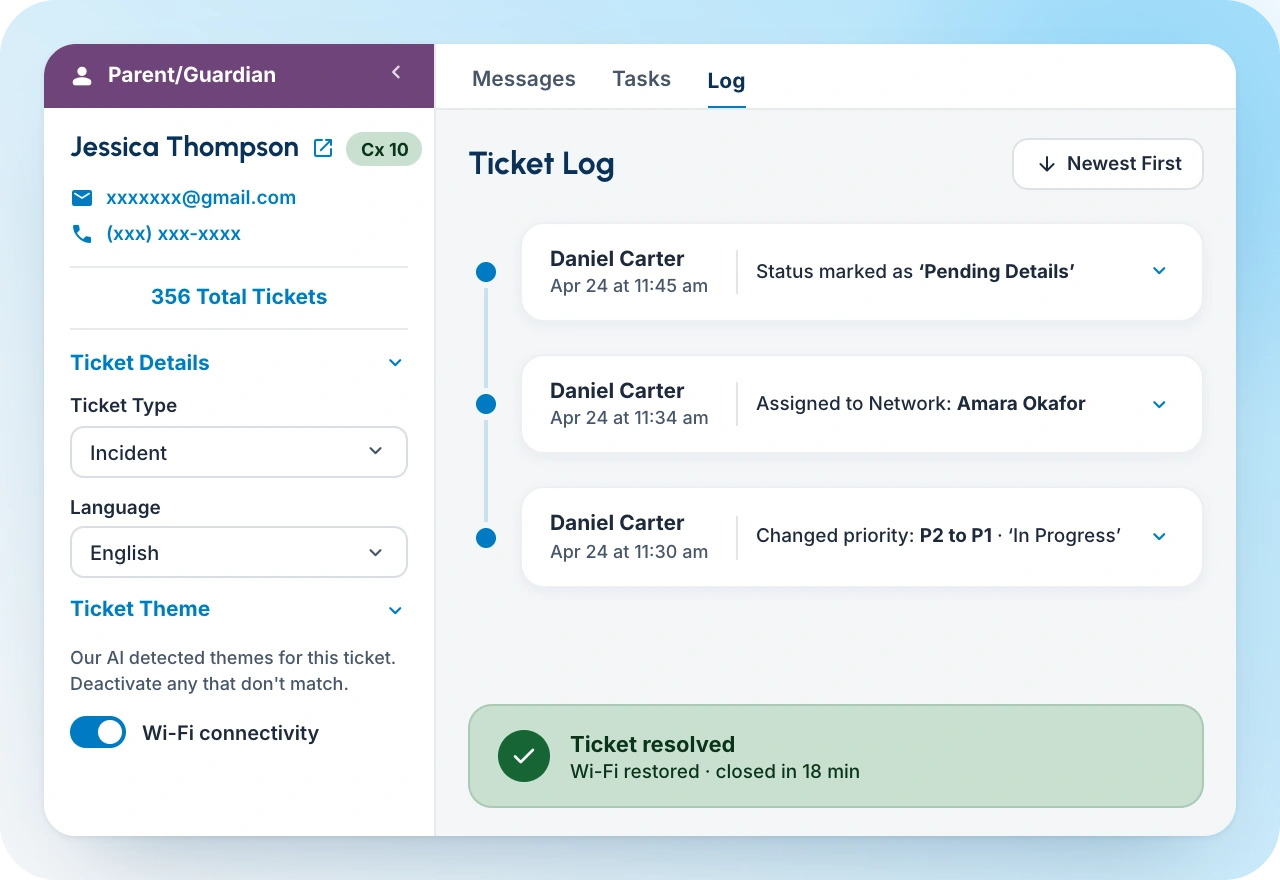
Auto-categorize, prioritize, and assign every request, with AI-powered summaries and past ticket insights for each ticket. Every request becomes visible, assigned, prioritized, and measurable.
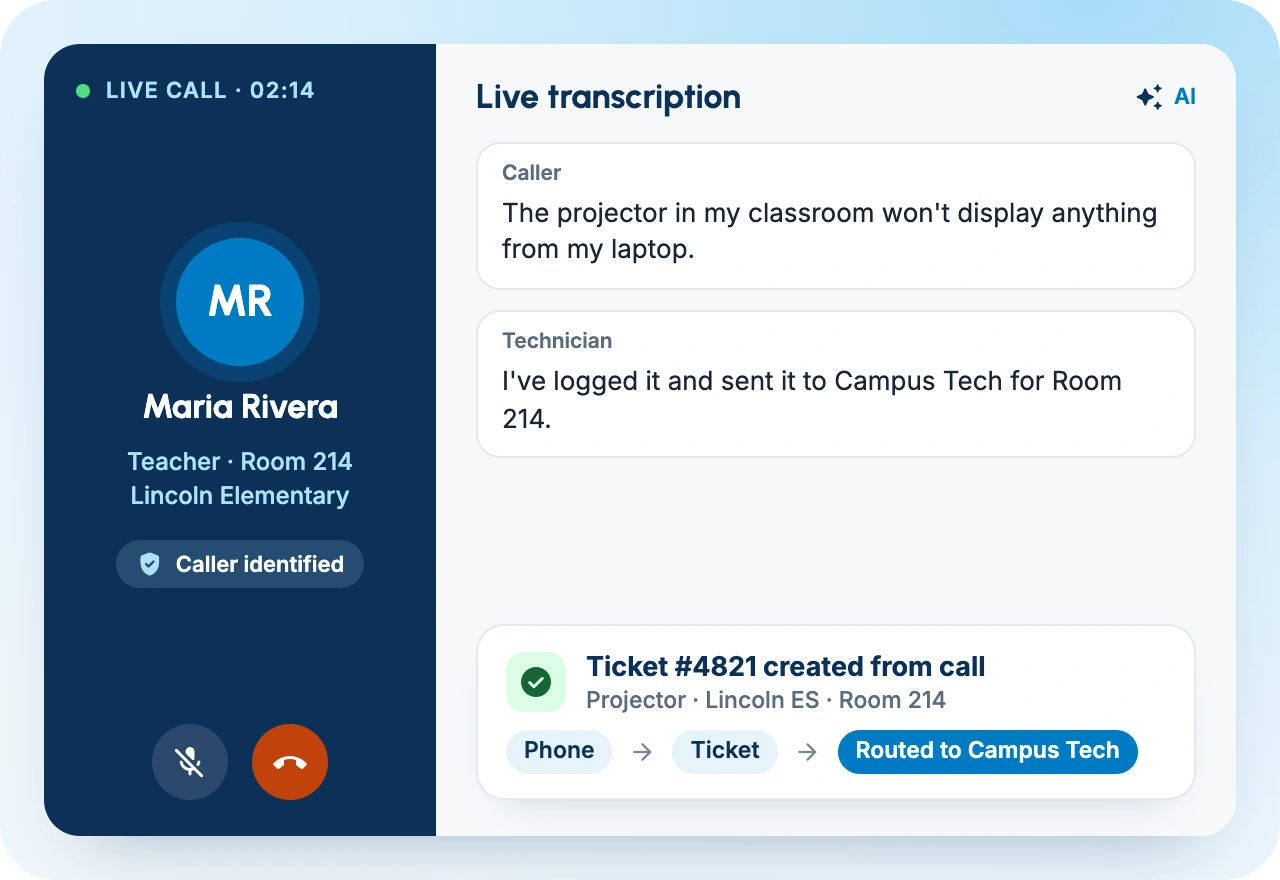
Seamless phone support for IT requests with caller identification, transcription, ticket creation and routing, reducing the need to switch between platforms
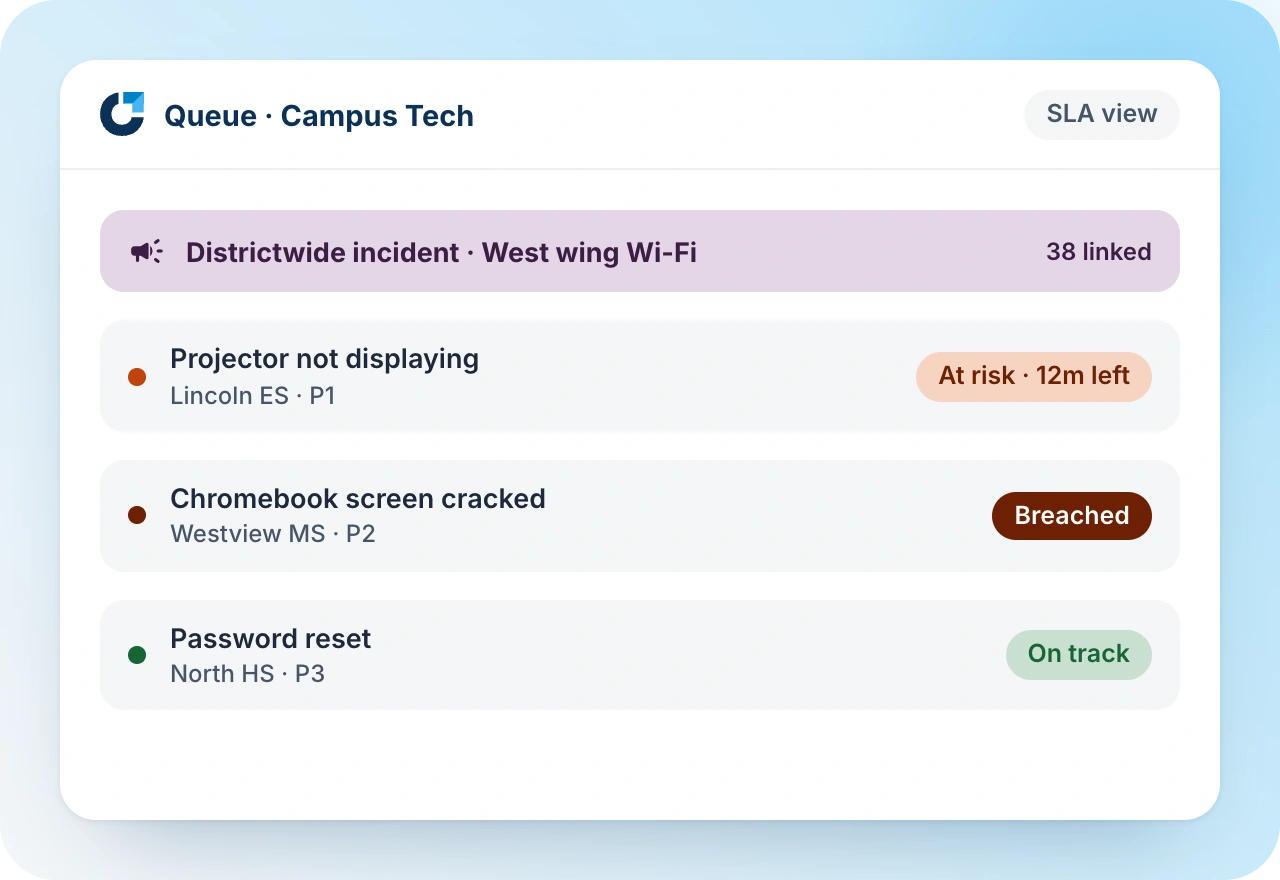
Technicians and managers can distinguish routine work from issues at risk, breached commitments, or districtwide incidents.
Tickets can connect to device assignment, repair history, warranty, lifecycle, and other asset information.
IT Asset Management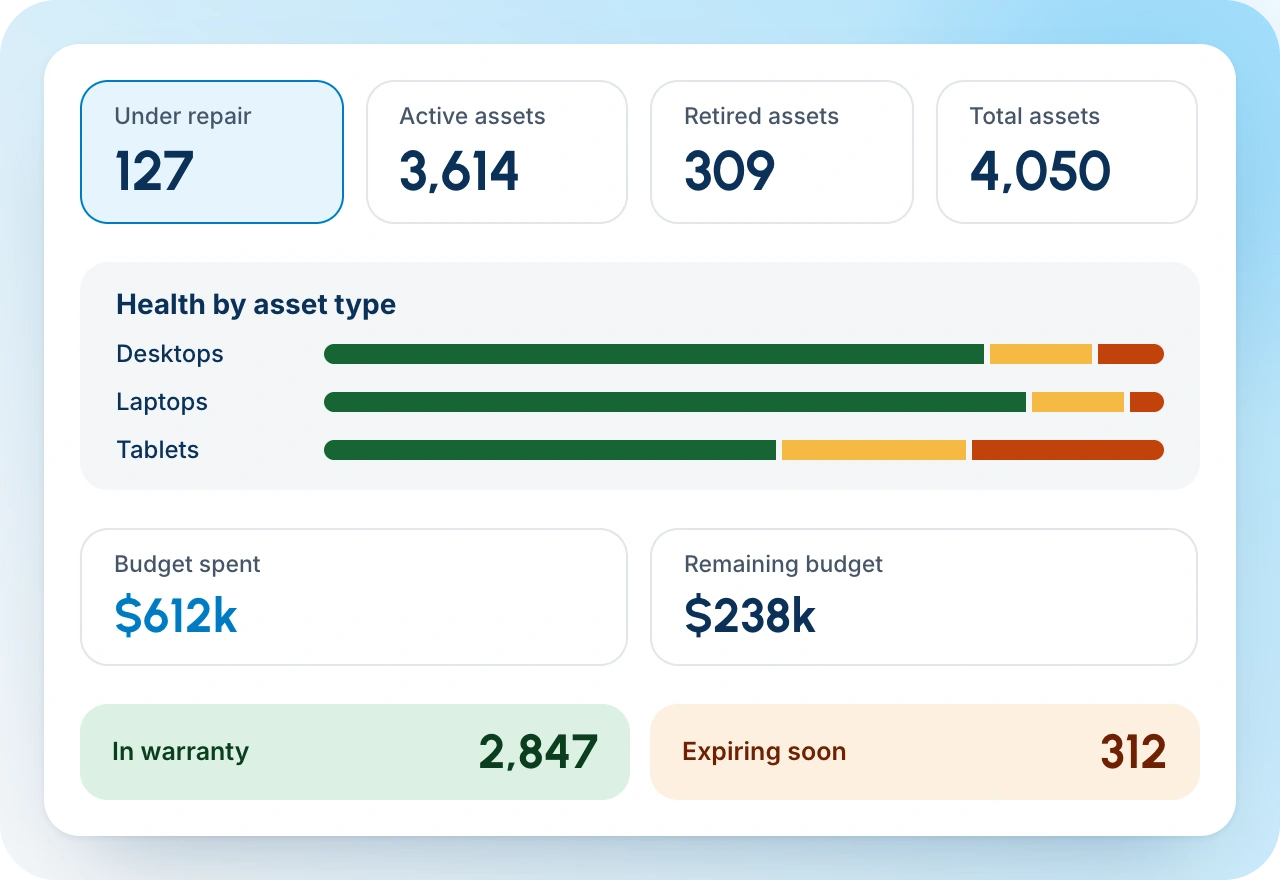
No-code creation of routing, approvals, reminders, tasks, and cross-department handoffs that follow district rules rather than relying on staff memory
Workflow Automation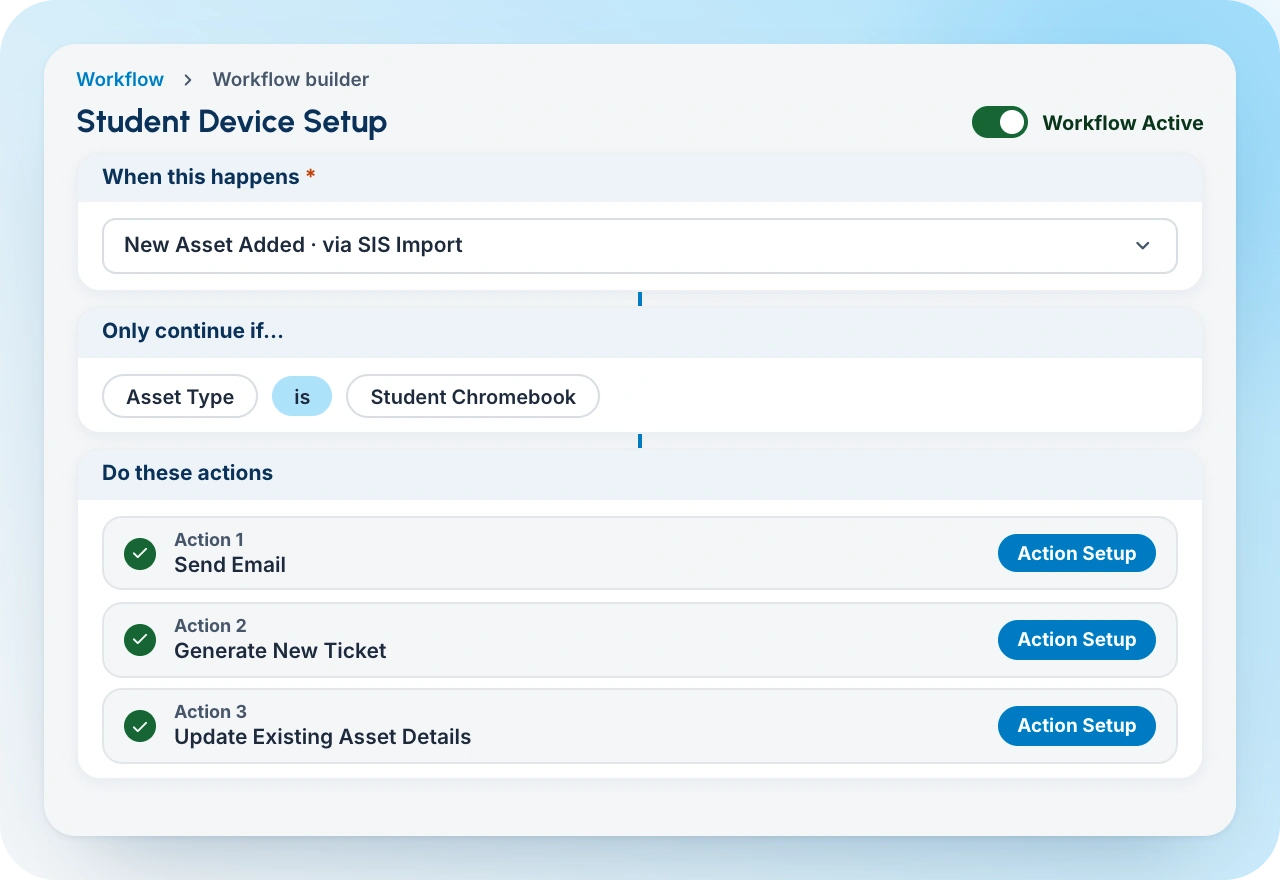
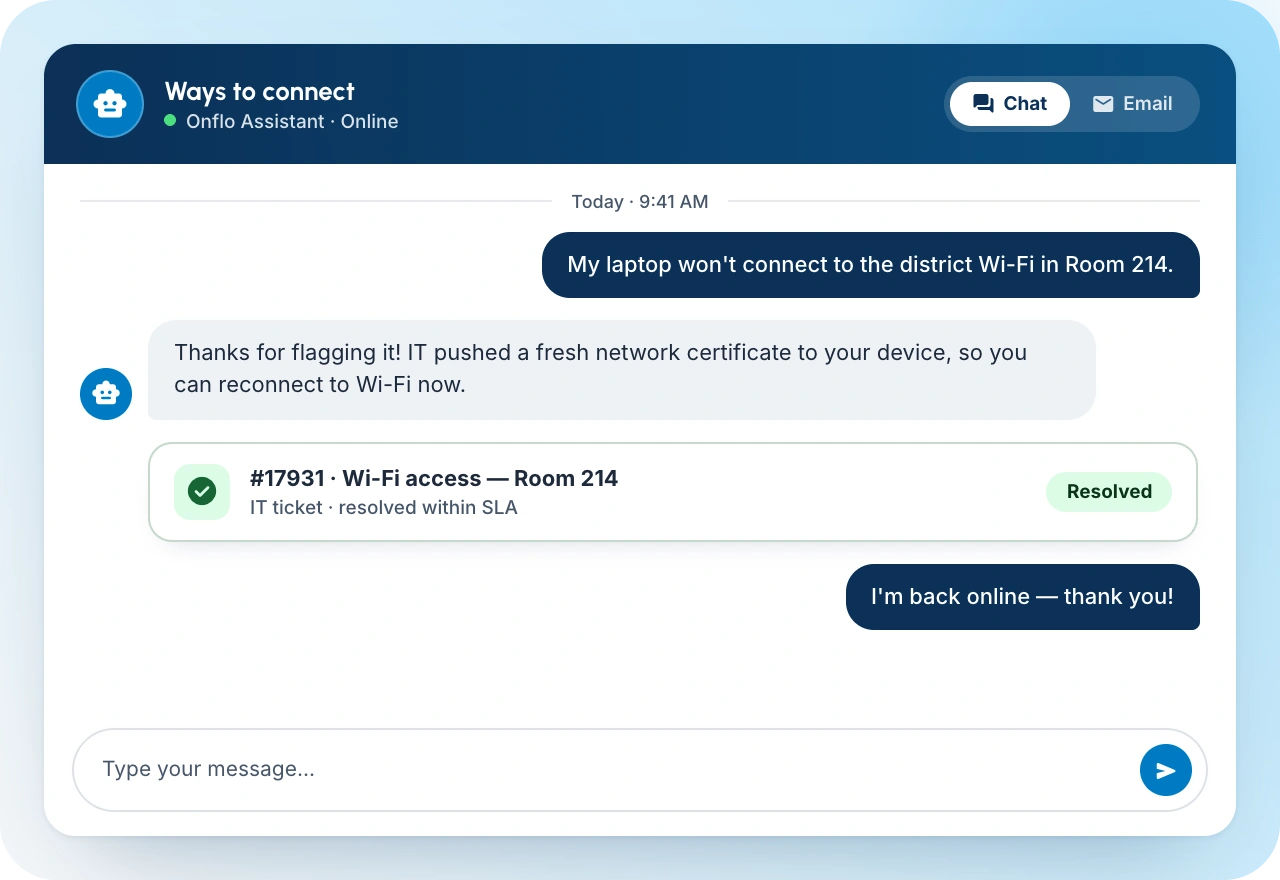
Requestors get easy access to intelligent chatbot for common issues and can submit requests, and track status without generating unnecessary calls.
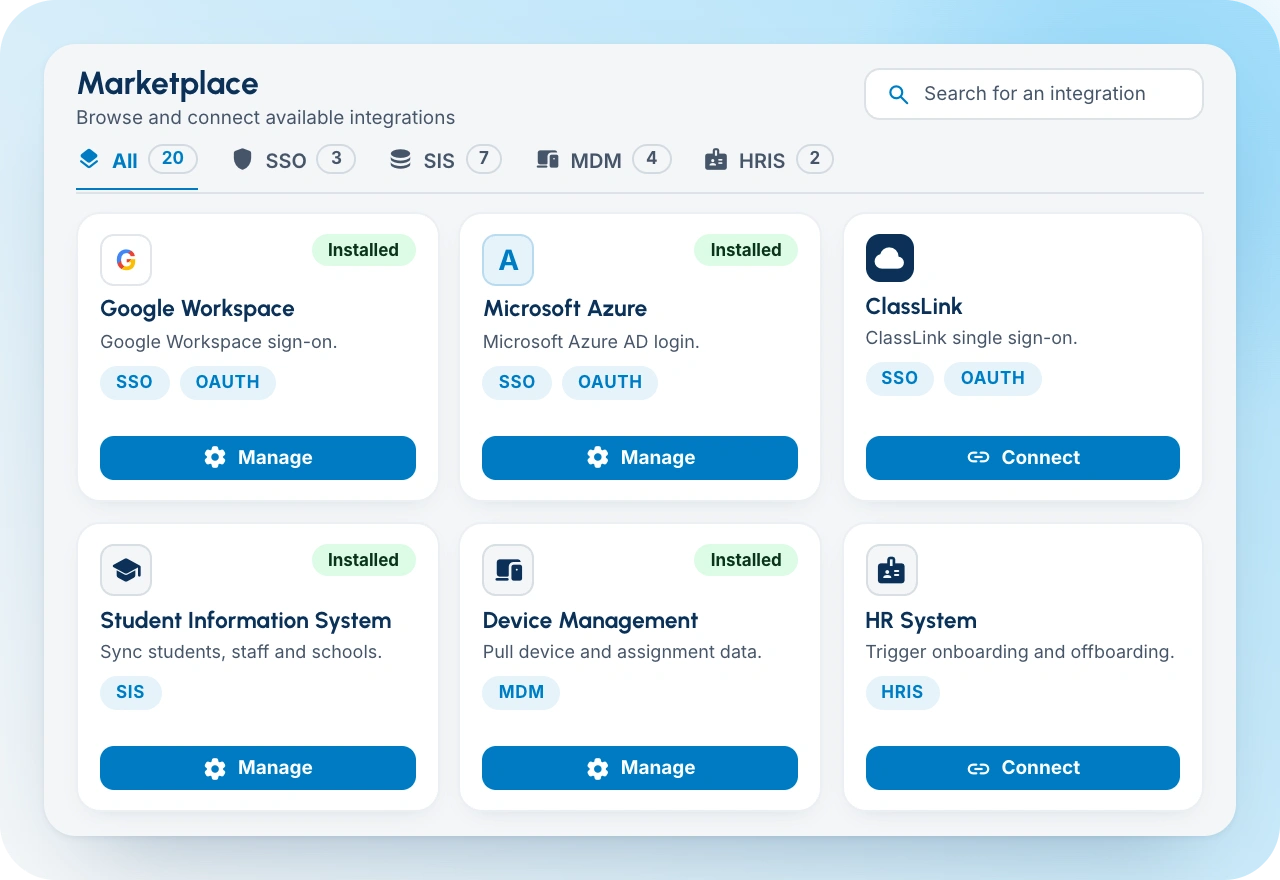
SSO, SIS, HRIS, MDM, and other systems can supply context so technicians do not repeatedly search for information the district already maintains.
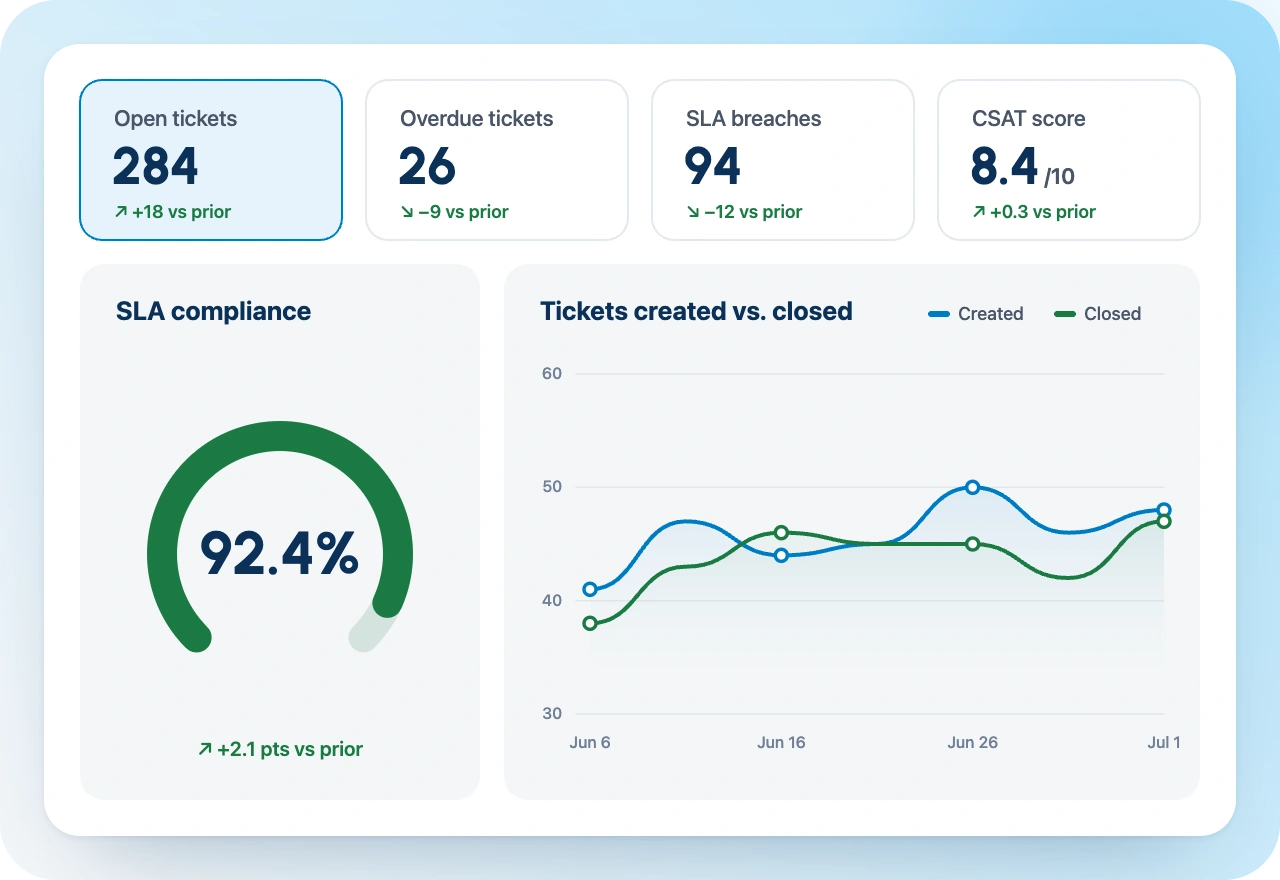
Managers can inspect demand, queue health, service levels, customer satisfaction, recurring problems, and differences across schools.
Why K-12 IT leaders choose Onflo
Purpose built for the cross-departmental realities of school districts.
Receive and resolve IT tickets from calls, chats, SMS, emails and more on the same platform.
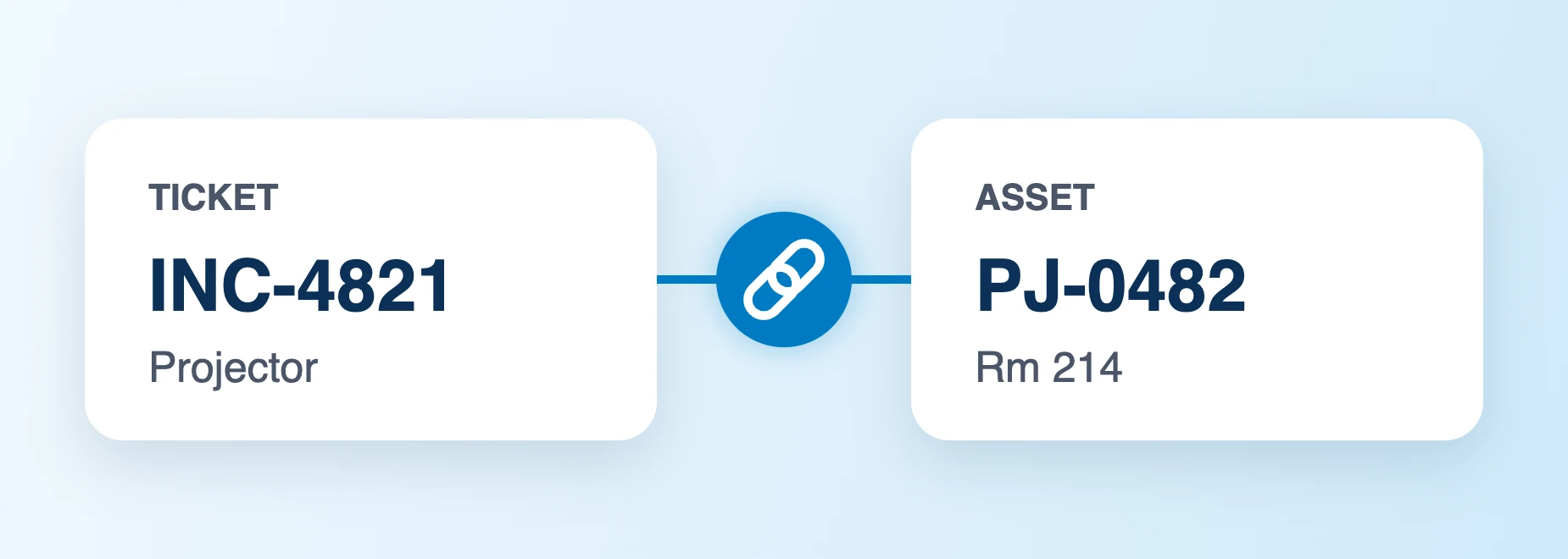
Linkage between IT Service Management and IT Asset Management to show assigned assets and raise requests for specific devices.
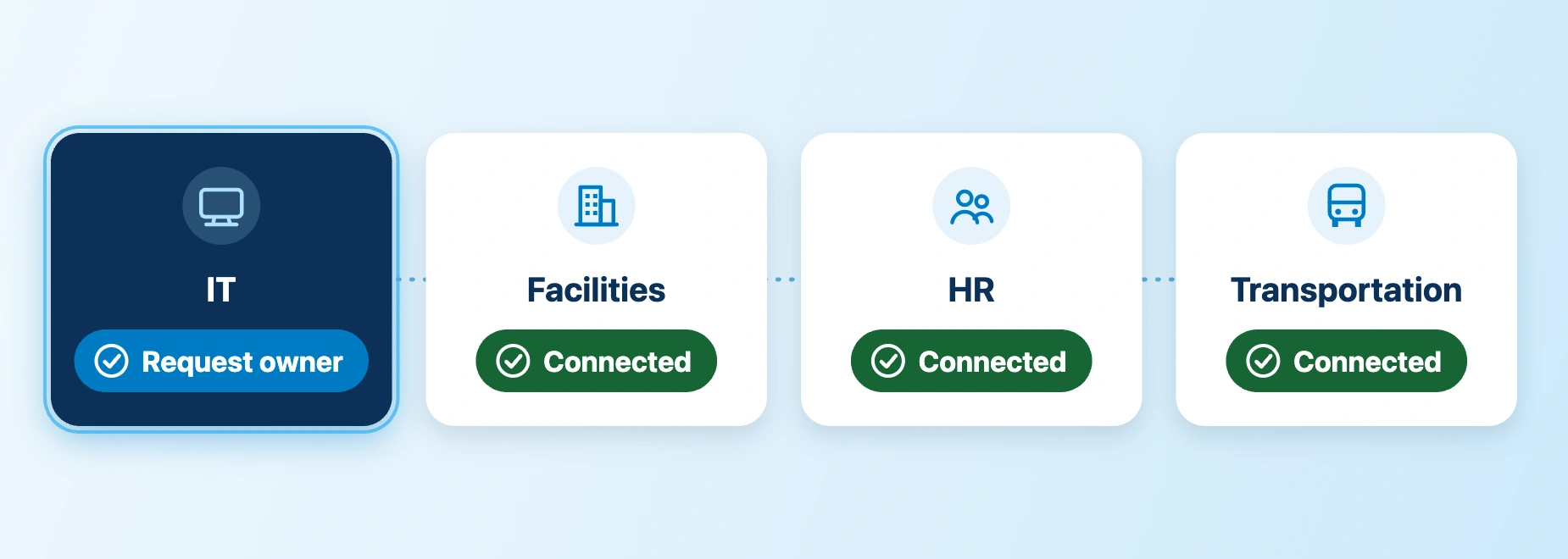
Coordinate IT requests with Facilities, HR and Transportation when necessary
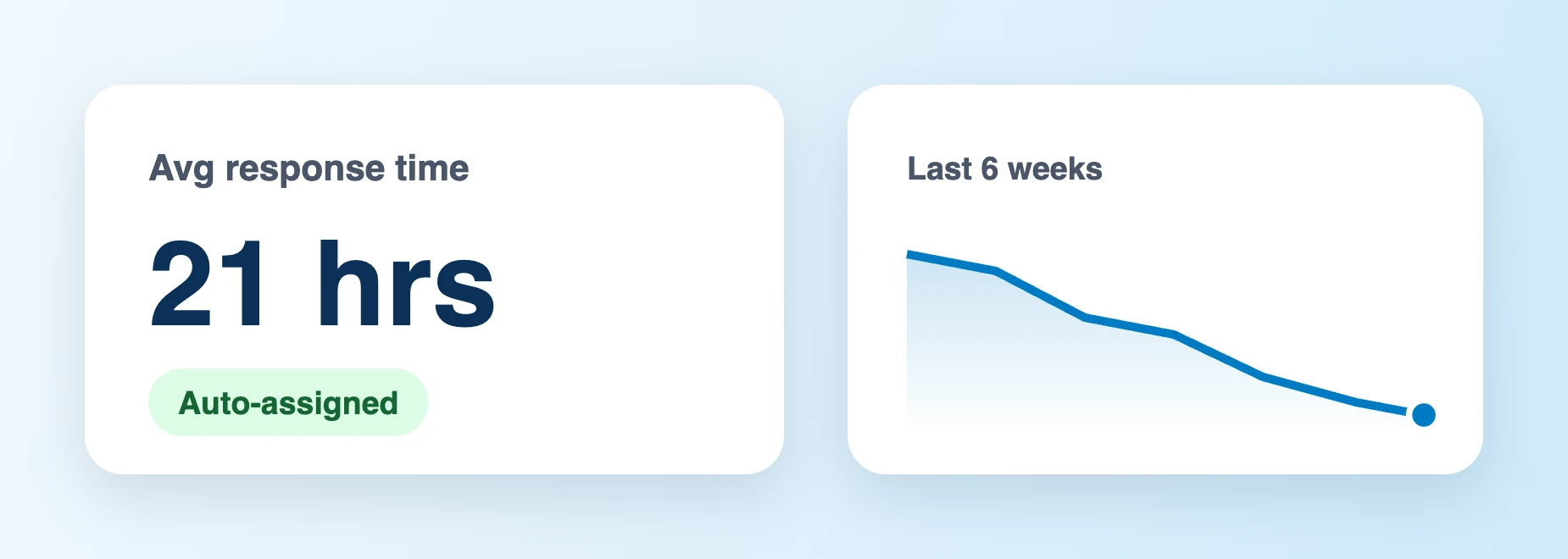
Keep every request organized, prioritized, and assigned automatically so your team can reduce response times.
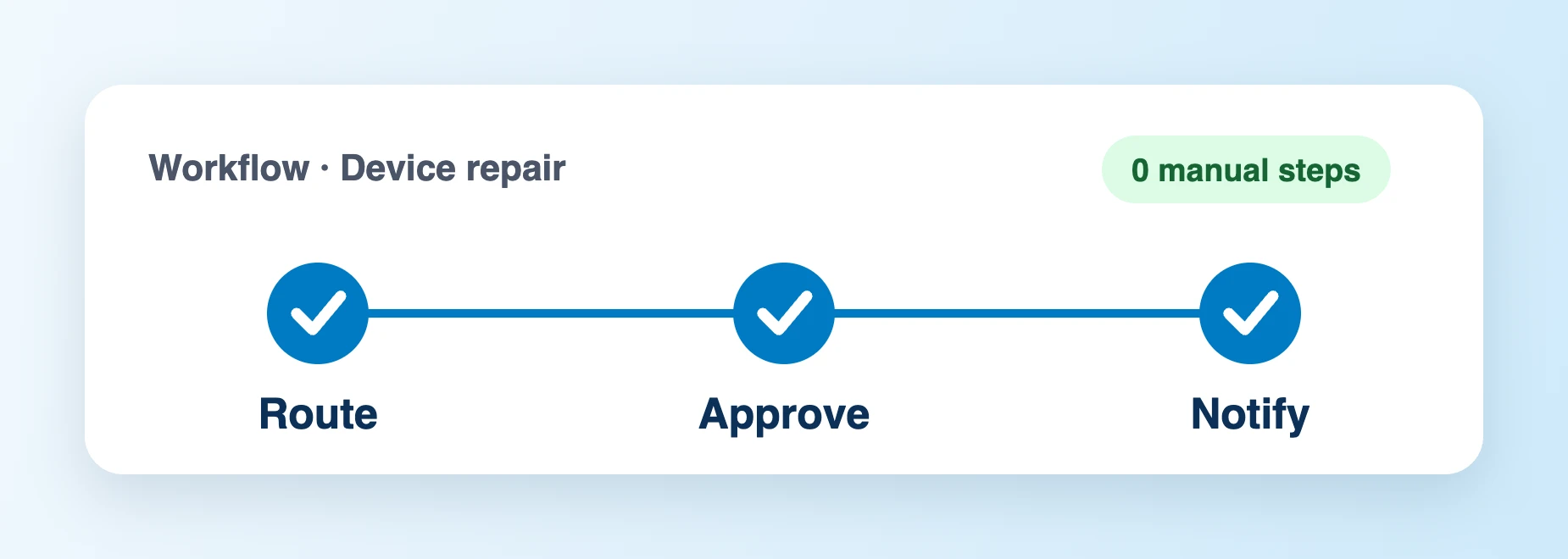
Automate ticket routing, approvals, notifications, and escalations with configurable, automated workflows to reduce manual work.
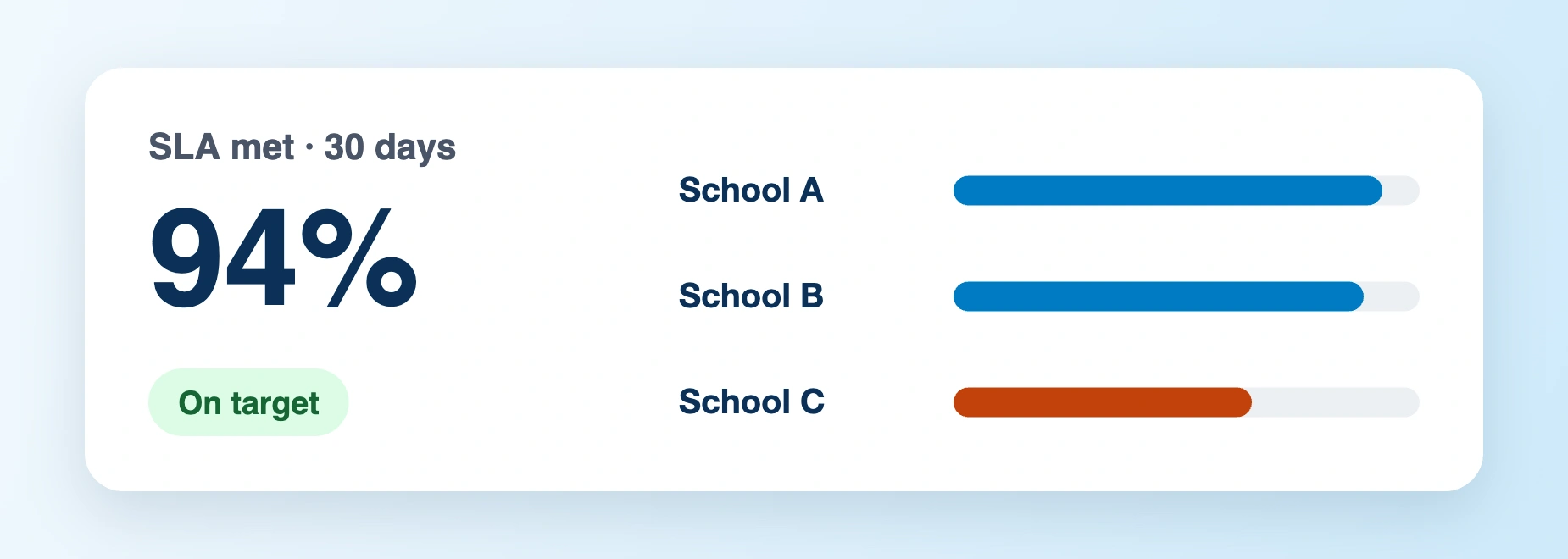
Track every request, SLAs, monitor workloads, and gain real-time insight into service performance across schools and departments.
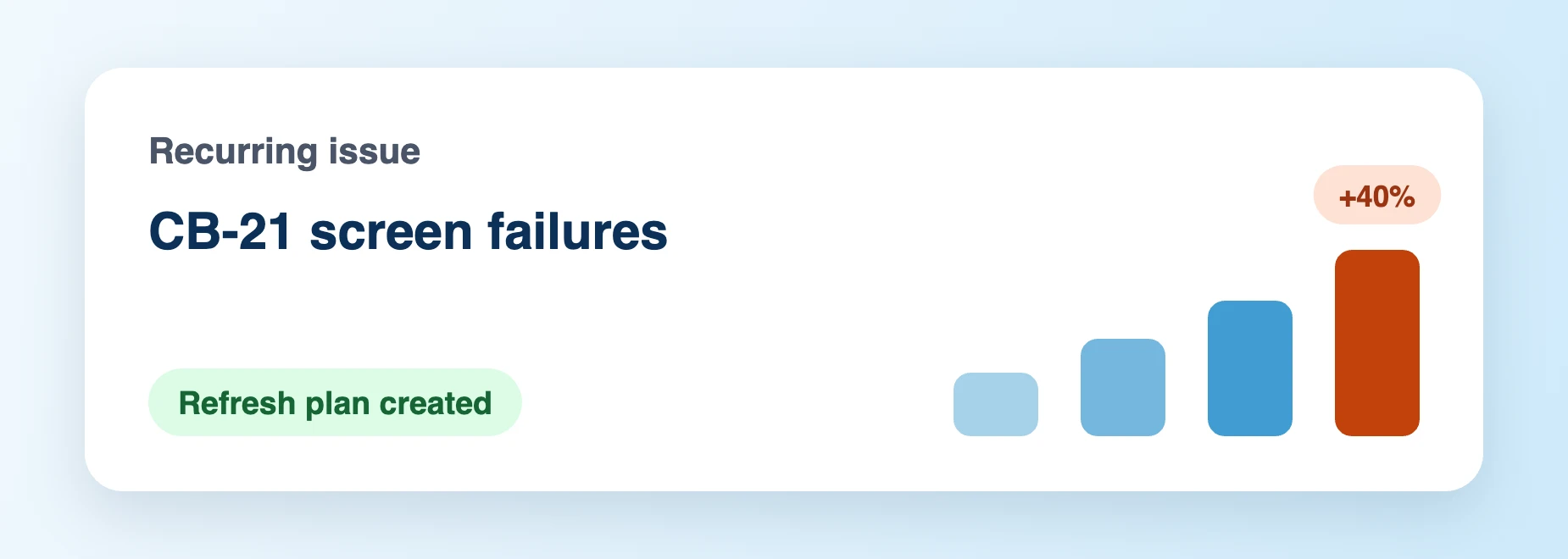
Identify recurring issues, track trends, and use reporting to improve technology services district-wide.
Onflo delivers measurable value to K-12 districts
Across approximately 80,000 customer interactions analyzed by Onflo, automated interactions averaged about four minutes compared with about twelve minutes without automation. The difference came from removing searches, re-entry, routing, and repetitive motions.
Indianapolis Public Schools was on a path toward consolidating roughly two dozen ticketing, asset-management, telephony, call-center, and other systems into a more unified environment.
Connecting service and asset records lets technicians see what happened to a device over time and supports more rational repair-versus-replace decisions.

 Case study
Indianapolis Public SchoolsIndianapolis, IN
Indianapolis: ITSM economics were bigger than licensesDistrict leadership's view was that the ticketing systems being displaced could justify the economics of the platform before counting the additional value of simpler service, shared data, and operational efficiency.Read the case study

 Case study
Ithaca City School DistrictIthaca, NY
Ithaca: service management expanded from outside IT into ITIthaca began with superintendent listening and trust. After district leaders saw the platform, they concluded its IT ticketing capability was stronger than the incumbent tool and expanded into IT and HR-related serviceRead the case study
How ITSM works in a school district
IT establishes what users can request, the information required, who owns it, and what service expectation applies.
Onflo AI provides verified responses with automatic human follow-up when it falls short
Onflo lets incidents and requests enter through the service portal, email, phone, or another supported path and become structured work.
Onflo uses SIS integration and secure authentication to verify the user without technician intervention
Onflo auto-assigns to the right owner, adds asset data and service context like requester, school, device, service history, and system-of-record data
Onflo provides AI assistance to spot critical, duplicate or global tickets and provides known answers or to help technicians start closer to the answer
Assignment, workflow, approvals, tasks, collaboration, escalation, and communication move the request toward resolution.
IT uses demand, SLA, CSAT, recurring issues, and asset/service history to improve the way the service is designed and delivered.
A week in district IT, with Onflo
When a teacher reports a projector or display problem, Onflo enriches the ticket with school and room context, connects to the asset record, and routes to the appropriate support team.
Onflo makes it easy to consolidate dozens of duplicate contacts around one known issue with AI assistance. Customers can follow the common incident while IT communicates with one coordinated update.
For every damaged IT asset, Onflo shows the device's repair history, residual value, warranty, and prior service to help technicians decide whether another repair is economically sensible.
An employee arriving from the HR system can trigger identity, device, badge, and other work across departments without HR maintaining a private spreadsheet of reminders.
Onflo ensures every service request has the required information, routes to the right owner, obtains approval where needed, and shows the requester where the work is waiting.
Service and asset history can reveal which models or locations generate repeated support demand, helping IT make better refresh and purchasing decisions.
See how Onflo can connect service requests, assets, automation, district data, and service performance in one school-specific operating platform.
Request a DemoFrequently asked questions
IT service management, or ITSM, is the discipline a school district uses to design, deliver, support, and improve IT services in a consistent way. A ticketing system records individual requests. ITSM adds the operating model around them: what services IT provides, how users request them, who owns them, what service level applies, what information technicians need, what work can be automated, and how performance is measured.
For K-12 districts, ITSM also needs to account for schools, classrooms, students, staff, parent-facing services, 1:1 devices, district identity systems, SIS and MDM data, school calendars, and the reality that technology failures can interrupt instruction immediately.
District IT teams support large user populations, 1:1 device fleets, many schools, and instruction-critical systems with limited staff. ITSM gives that work a consistent operating model: defined services, structured intake, ownership, SLAs, asset context, automation, self-service, integrations, and measurement. The goal is not bureaucracy. It is to make service dependable at district scale.
No. A help desk focuses primarily on resolving user support needs. ITSM is broader and asks how IT services are defined, requested, delivered, supported, measured, and improved. A help desk can be part of an ITSM model.
| Comparison | Ticketing | Help Desk | ITSM |
|---|---|---|---|
| Primary focus | Record and track requests | Help users resolve support needs | Operate and improve IT services |
| Typical scope | Tickets, queues, status | Tickets + customer support + self-service | Service catalog + ticketing + SLAs + assets + workflow + integrations + measurement |
| Best fit | Teams needing basic accountability | Teams formalizing user support | District IT organizations managing service at scale |
| Risk if used alone | Can remain a digital inbox | Can remain reactive | Can become overly complex if copied from enterprise IT without adapting to K-12 |
No. Ticketing is one foundation of ITSM. A ticket creates the structured record of a request or incident. ITSM adds service definition, service levels, workflow, self-service, asset context, integrations, operational reporting, and continuous improvement around the request lifecycle.
Not necessarily. A district can benefit from ITSM principles without reproducing every enterprise process or vocabulary. The practical starting point is usually a clear service catalog, accountable ticketing, SLAs, automation, asset context, and reporting. Districts should add process rigor where it improves service rather than where it merely adds administrative overhead.
The catalog should reflect the services district users actually request, such as device support, account access, software requests, classroom technology, network support, new-hire setup, device replacement, and other repeatable IT services. Each service can collect different information, route differently, and carry a different service expectation.
Tickets and assets should share context. A technician working a repair should see the assigned device, service history, warranty, status, and relevant lifecycle information. Asset managers should be able to see service demand and repair history tied to each asset.
IT Asset ManagementYes. Employee events can trigger repeatable work such as account provisioning, badge creation, device assignment, approvals, and asset recovery. The value is not only speed. Automation reduces the risk that work is forgotten between departments.
Common integrations include identity and SSO, SIS, HRIS, MDM, email, and other systems that already maintain authoritative information. The purpose is to bring relevant context into the service process rather than force technicians or users to re-enter information manually.
Yes, but non-IT departments should not be forced to operate as if they were IT teams. Facilities, HR, Transportation, and Student Services can use the same service platform while maintaining their own terminology, workflows, queues, assets, and permissions. IT can steward the shared technical foundation without owning every department's service decisions.
Useful measures include service volume, leading request categories, first response time, resolution time, SLA performance, backlog, at-risk work, breached work, self-service utilization, repeat contacts, customer satisfaction, asset repair patterns, and differences among schools or support teams.
Yes. A district can start with the services that create the most friction, establish the shared foundations, and mature the operating model over time. A narrow need can go live much faster than a districtwide transformation, which is typically phased according to readiness, data, workflow decisions, integrations, and change management.
Generic ITSM can be capable, but school districts have distinctive users, school hierarchies, student and guardian relationships, 1:1 device fleets, privacy requirements, school calendars, classroom technology, and SIS/MDM context. K-12 ITSM should make those realities natural rather than treating each one as a custom exception.